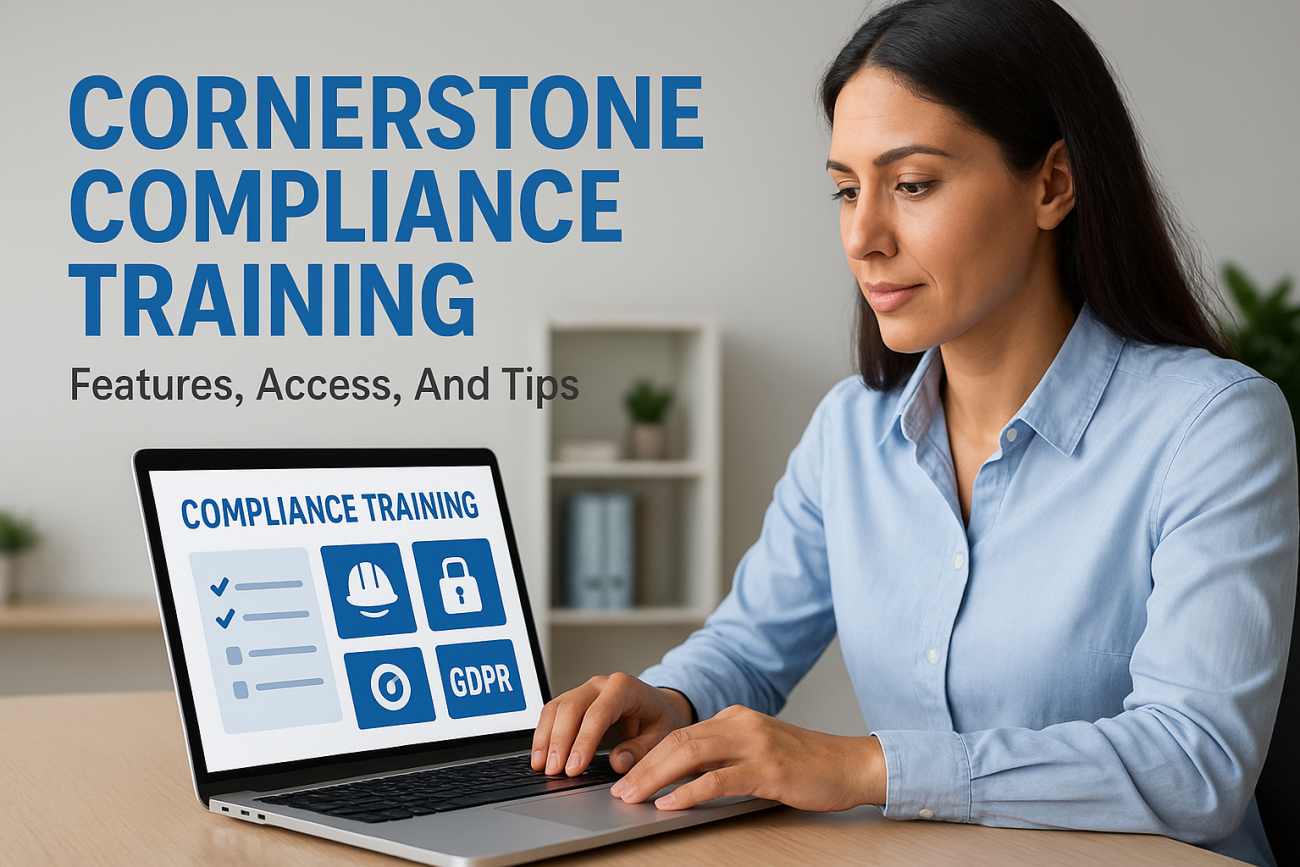
Managing regulatory requirements and employee certifications can feel like juggling flaming torches, drop one, and the consequences are serious. That’s why organizations turn to dedicated LMS platforms for cornerstone compliance training solutions that automate tracking, delivery, and reporting. Whether you’re evaluating Cornerstone OnDemand for your organization or trying to navigate the platform as an employee, understanding its compliance capabilities matters.
At Atrixware, we build Axis LMS to help businesses streamline their training programs, including compliance management. We know what makes an LMS effective for regulatory training because we’ve spent years solving these problems for organizations across industries. That perspective gives us a clear lens to examine how Cornerstone approaches compliance training and what you should expect from the platform.
This article breaks down Cornerstone’s compliance training features, explains how administrators and learners access the system, and offers practical tips to get the most from your investment. By the end, you’ll have a complete picture of whether Cornerstone fits your compliance needs, or if alternatives might serve you better.
What Cornerstone compliance training includes
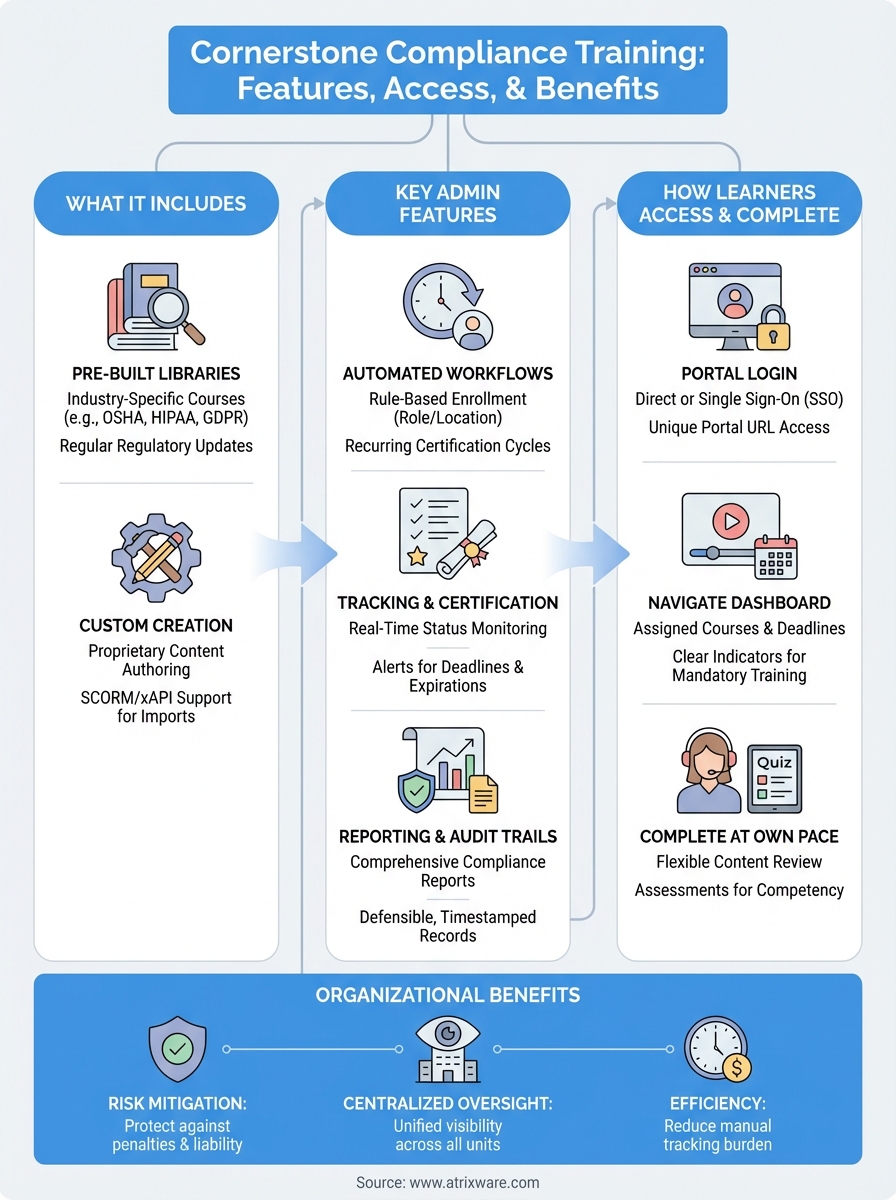
Cornerstone OnDemand packages its compliance training through multiple delivery methods and content types designed to meet regulatory requirements across industries. The platform combines pre-built course libraries, custom content capabilities, and automated tracking systems that handle everything from initial assignment through certification renewal. You’ll find ready-made compliance courses covering topics like workplace harassment, data privacy, anti-money laundering, and safety protocols that meet common regulatory standards.
Organizations can deploy these courses as standalone modules or integrate them into broader learning paths that combine compliance requirements with role-specific training. The system supports various content formats including videos, interactive simulations, document reviews, and assessments that test comprehension. Automated enrollment rules assign training based on job roles, locations, or other employee attributes, ensuring the right people complete the right training without manual intervention.
Cornerstone’s compliance training isn’t just about course delivery; it’s about creating an auditable record that proves your organization met its regulatory obligations.
Pre-built compliance content libraries
Cornerstone offers extensive course catalogs through partnerships with content providers who specialize in regulatory training. These libraries include industry-specific compliance modules for healthcare, financial services, manufacturing, and other regulated sectors. You access courses that address OSHA requirements, HIPAA privacy rules, GDPR data protection, and other mandates without building content from scratch. The platform updates these courses when regulations change, helping you maintain current training materials without constant monitoring of legal developments.
Custom compliance course creation
Your organization can build proprietary compliance training using Cornerstone’s authoring tools when off-the-shelf content doesn’t cover internal policies or unique regulatory situations. The platform supports SCORM and xAPI standards, letting you import courses created in external authoring systems. This flexibility matters when you need to train employees on company-specific codes of conduct, internal audit procedures, or specialized safety protocols that generic courses can’t address. You maintain complete control over content updates and versioning to reflect policy changes immediately.
Automated tracking and certification management
Cornerstone automatically monitors completion status, test scores, and certification expiration dates for every assigned compliance course. The system generates alerts when employees approach certification deadlines and triggers automatic reassignment for recurring training requirements. You pull detailed reports showing who completed training, when they finished, what scores they achieved, and whether they met passing thresholds. These audit trails provide the documentation regulators request during inspections or investigations.

Why organizations use it for compliance
Organizations select cornerstone compliance training because manual tracking systems create gaps that expose them to regulatory penalties and legal liability. When you rely on spreadsheets or disconnected tools, employees slip through the cracks, certifications expire unnoticed, and auditors find incomplete records. Cornerstone centralizes all compliance activities into a single platform that automatically monitors requirements, assigns courses, and generates audit-ready reports. You eliminate the administrative overhead of chasing employees for completion status while maintaining real-time visibility into organizational compliance posture.
Centralized regulatory oversight
Your compliance team gains complete visibility across all regulatory training requirements from one dashboard instead of piecing together information from multiple sources. The platform consolidates training data from different departments, locations, and business units into unified reports that show exactly where your organization stands. You identify compliance gaps before they become violations because the system flags overdue training, upcoming certification renewals, and employees who need remedial courses.
Centralized oversight transforms compliance from a reactive scramble into a proactive management process that protects your organization from preventable violations.
Risk mitigation through documentation
Cornerstone generates defensible audit trails that document every training interaction, from initial assignment through completion and assessment results. You prove regulatory compliance with timestamped records showing exactly when employees completed required training, what content they reviewed, and whether they demonstrated competency through testing. These records protect your organization during regulatory inspections, legal proceedings, or investigations where training documentation becomes critical evidence.
Key features to look for in Cornerstone
When evaluating cornerstone compliance training capabilities, you need to focus on features that reduce manual work while strengthening your audit readiness. The platform’s compliance tools should automate repetitive tasks, provide clear visibility into training status, and generate reports that satisfy regulatory inspectors. Look for functionality that scales with your organization’s size and complexity without requiring constant administrator intervention.
Automated compliance workflow capabilities
Cornerstone’s automated enrollment rules assign training based on job roles, departments, locations, or custom employee attributes you define. The system triggers training assignments when employees join specific groups or reach certain milestones, eliminating manual course distribution. You configure recurring certification cycles that automatically reassign courses before credentials expire, sending reminder notifications at intervals you specify. These workflows ensure employees complete required training without administrators tracking deadlines manually.
Automated workflows transform compliance from a manual tracking burden into a self-executing system that protects your organization around the clock.
Reporting and audit functionality
The platform generates comprehensive compliance reports showing completion rates, outstanding assignments, test scores, and certification status across your entire workforce. You filter reports by department, location, job role, or regulation type to identify specific compliance gaps. Cornerstone’s audit trail features document every training interaction with timestamps, IP addresses, and detailed completion records that meet regulatory documentation standards. You export these reports in multiple formats for internal reviews or external audits, providing evidence that your organization met its training obligations.
How to access and complete assigned training
Employees access cornerstone compliance training through direct login credentials or single sign-on integration with your organization’s authentication system. Your administrator provides initial access details, typically sending an email with login instructions and a link to your organization’s Cornerstone portal. Once you log in, the system displays assigned courses on your dashboard, prioritizing those with upcoming deadlines or overdue status. You’ll see clear indicators showing which training is mandatory, when it’s due, and how long each course takes to complete.
Logging into the platform
You access Cornerstone through your organization’s unique portal URL, which your HR or training department provides. The login process connects through your company’s existing authentication if single sign-on is enabled, eliminating the need to remember separate credentials. After successful authentication, the platform directs you to your learner homepage where all assigned training appears in chronological order based on due dates.
Navigating your assigned courses
Your dashboard shows mandatory compliance courses at the top of your task list with visual indicators for urgency. You click directly on course titles to launch training modules, which open in your browser or a separate learning window depending on content format. The platform tracks your progress automatically as you move through lessons, so you can pause training and resume later without losing your place.
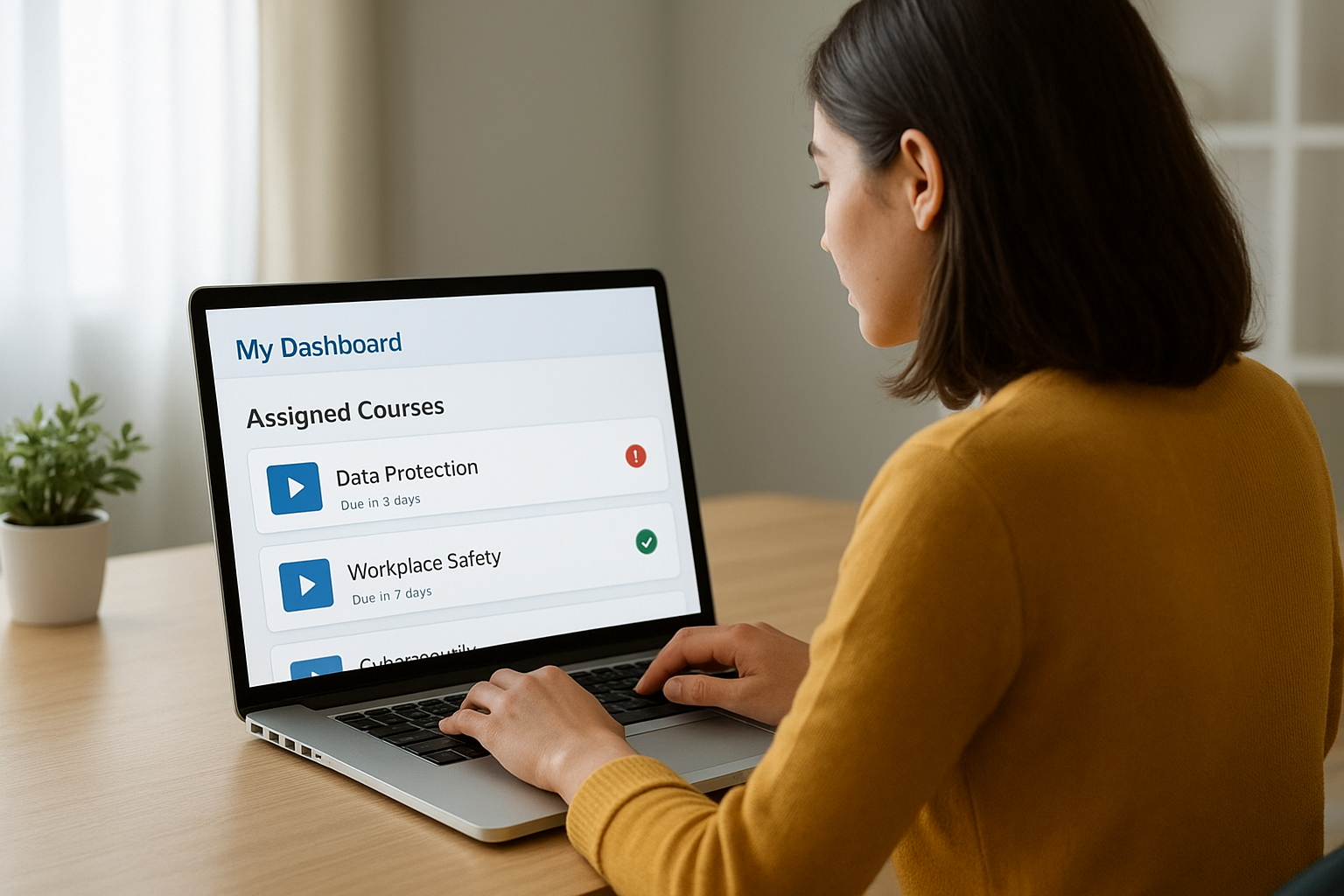
Your completion status updates in real time, giving administrators immediate visibility into your compliance standing without requiring manual check-ins.
Completing training requirements
You work through course content at your own pace, watching videos, reviewing documents, and completing interactive activities as the training requires. Most compliance courses conclude with assessment tests that verify your comprehension of the material. You must achieve the passing score your organization sets to receive credit, and the system allows retakes if you don’t pass initially.
How admins manage assignments and reporting
Administrators control cornerstone compliance training distribution through centralized assignment tools that automate course delivery based on rules you configure. You access administrative functions through a separate portal view that provides full visibility into your organization’s compliance status across all departments, locations, and employee groups. The platform lets you create targeted assignments, monitor completion rates in real time, and generate detailed reports that satisfy both internal stakeholders and external auditors.
Creating and distributing assignments
You assign compliance courses through rule-based automation that triggers training based on employee attributes like job title, department, hire date, or location. The system lets you set due dates, configure reminder schedules, and specify whether training recurs annually, biannually, or at custom intervals. When you create an assignment, Cornerstone immediately notifies affected employees through email alerts and dashboard notifications that direct them to required courses. You can also manually assign training to specific individuals or groups when immediate compliance needs arise outside your automated rules.
Automated assignment rules eliminate the manual tracking burden that causes compliance gaps, ensuring no employee slips through the cracks.
Monitoring completion and generating reports
Your administrative dashboard displays real-time completion metrics showing which employees finished their training, who missed deadlines, and where compliance gaps exist. You filter reports by department, location, regulation type, or training category to identify specific problem areas requiring intervention. The platform generates audit-ready documentation that includes completion dates, test scores, certificate issuance records, and full historical tracking for every training interaction.
Next steps for a smoother program
Understanding cornerstone compliance training features, access methods, and management capabilities gives you the foundation to evaluate whether the platform meets your organizational needs. You now know how Cornerstone handles course assignments, tracks completion, generates audit reports, and automates recurring certifications. These core capabilities form the baseline for any compliance LMS, but your specific requirements might demand different features or workflows that alternative platforms handle more effectively.
Your next step involves assessing whether Cornerstone’s approach aligns with your compliance strategy and budget constraints. You should compare pricing structures, integration capabilities, and support models across multiple LMS vendors before committing to any platform. If you’re exploring alternatives to Cornerstone, take our LMS readiness quiz to identify which features matter most for your organization’s training program. The assessment helps you focus on platforms that match your current needs and future growth plans without paying for unnecessary complexity.
