Small businesses face a unique challenge: competing for talent and keeping employees skilled without enterprise-level budgets. The right employee training software for small business can level the playing field, helping you onboard faster, develop skills consistently, and retain your best people. But with dozens of options on the market, finding software that actually fits a smaller team’s needs (and budget) isn’t straightforward.
That’s why we put together this guide. We’ve evaluated platforms based on what matters most to small businesses: ease of use, pricing transparency, essential features without unnecessary complexity, and the ability to scale as you grow. Whether you need basic onboarding tools or a full learning management system, this list covers options across the spectrum.
As the team behind Axis LMS at Atrixware, we’ve spent years helping organizations, from startups to enterprises, build effective training programs. We know what separates tools that actually get used from those that collect dust. Below, you’ll find 12 employee training platforms worth considering in 2026, with detailed breakdowns of features, pricing, and ideal use cases to help you make the right choice for your business.
What small businesses should look for in training software
Choosing employee training software for small business requires a different approach than what enterprise buyers use. You don’t need every feature on the market. You need a platform that your team will actually use, that fits your budget today, and that won’t force you to rebuild everything when you hire your 50th employee. The right tool should solve your immediate training challenges while leaving room to grow without breaking your workflow or your bank account.
Core features that actually matter
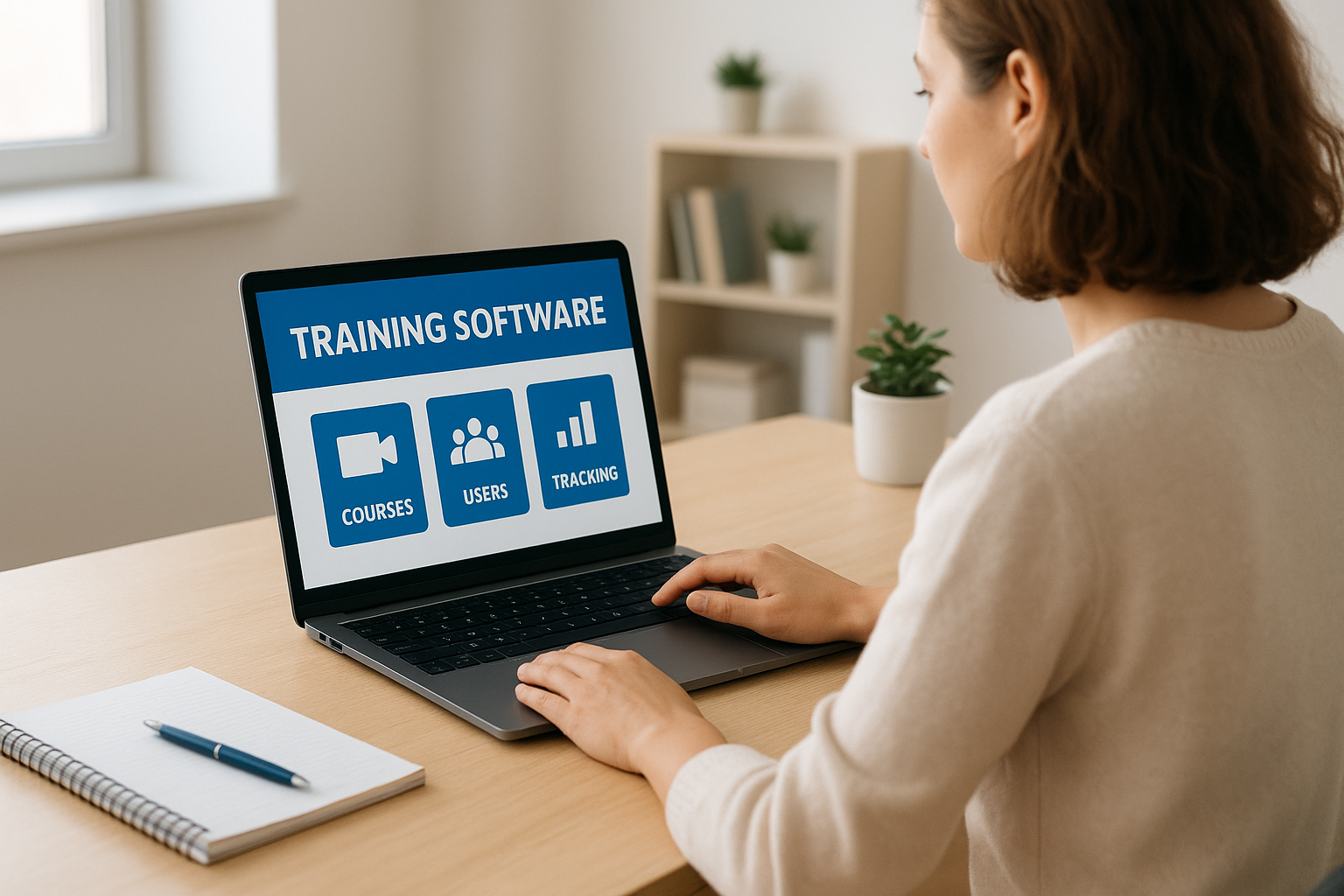
Start with the basics: course creation, user management, and tracking. Your platform needs to let you build or upload training content quickly, without requiring a degree in instructional design. Look for tools that support multiple formats like video, documents, and quizzes, since different topics demand different approaches. User management should let you assign training by role or department, track who completed what, and send automatic reminders without manual follow-up. Basic reporting matters more than fancy dashboards at this stage. You need to know who finished their training and who didn’t, with the ability to export data for compliance records if your industry requires it.
The most powerful training platform is the one your team actually logs into and uses consistently.
User experience for non-technical teams
Your training software needs to work for people who didn’t choose it. Intuitive navigation and mobile access separate tools that get adopted from those that get ignored. If your administrators need a manual to create a course, or if learners can’t figure out how to access their training on their phone, you’ll waste time on support tickets instead of building better programs. Test the interface during demos with actual team members who will use it, not just decision-makers. Pay attention to how many clicks it takes to complete common tasks like enrolling users or updating course content. Small teams don’t have dedicated LMS administrators, so complexity creates bottlenecks.
Scalability without complexity
You need software that grows with you but doesn’t overwhelm you on day one. Look for platforms with tiered pricing that let you start small and add capabilities as your needs evolve. Features like advanced automation, branching scenarios, and AI-powered recommendations might matter in two years, but they shouldn’t complicate your setup today. The best tools let you ignore advanced features until you’re ready to use them. Check whether the platform supports integrations with systems you already use or plan to adopt, like your HRIS or communication tools. Switching platforms later wastes time and money, so picking something flexible from the start saves headaches down the road.
How pricing usually works for small teams
Most employee training software for small business uses per-user pricing, which means you pay a monthly or annual fee for each person who needs access to the platform. This model scales with your headcount but can create budget surprises as you grow. Vendors typically offer tiered plans based on features rather than just user count, so a basic plan might cost $5 per user while an advanced plan with automation and integrations runs $15 per user. Understanding these structures upfront helps you avoid overpaying for capabilities you won’t use or underbuying and hitting limits too quickly.

Per-user versus flat-rate plans
Per-user pricing gives you predictable costs as long as your team size stays stable. You’ll see prices ranging from $3 to $20 per active user per month depending on the platform and feature set. Some vendors count only active learners, while others charge for every enrolled user regardless of login frequency. Flat-rate plans, less common but available from some providers, charge a single monthly fee for unlimited users. These work well if you plan to train large groups or have high turnover, but they often come with stricter limits on features, storage, or course creation.
The cheapest plan per user isn’t always the best value if it forces you to upgrade within six months.
Free tiers and starter packages
Many platforms offer free plans for up to 10 or 50 users, which work for testing the software but usually strip out essential features like custom branding, integrations, or advanced reporting. Starter packages typically begin around $100 to $300 per month for small teams and include core functionality without enterprise features. Watch for setup fees, which some vendors charge upfront, and ask whether customer support costs extra on lower-tier plans.
How to pick the right tool for your use case
Finding the right employee training software for small business starts with your specific situation, not a feature checklist. Your onboarding process, team structure, and training frequency determine which platform will actually work for you. A retail business with high turnover needs different capabilities than a consulting firm training ten specialists on compliance updates. Map your requirements to real scenarios before comparing vendors, or you’ll end up paying for features you never activate.
Define your immediate training needs
List the training programs you need to deliver in the next six months. Count how many people need training, how often they’ll access the system, and whether you’re building courses from scratch or uploading existing materials. If you’re focused on employee onboarding, prioritize platforms with easy course creation and automated enrollment. Teams handling compliance training should look for certification tracking and expiration reminders built into the core product. Avoid platforms marketed for enterprise learning and development if you just need to get new hires up to speed quickly.
Pick software that solves your biggest training problem today, not the one you might have in three years.
Match features to your team’s workflow
Consider how training fits into your existing processes. If your team already uses Slack or Microsoft Teams daily, a platform with native integrations saves time by meeting learners where they work. Remote or deskless teams need mobile-first interfaces that work offline, while office-based teams might prioritize desktop experiences. Test whether the platform lets you assign training by role without manual work, since small teams can’t spend hours on administrative tasks. Check if reporting gives you the data your leadership actually asks for, whether that’s completion rates, quiz scores, or time spent learning.
1. Axis LMS by Atrixware
Axis LMS positions itself as a scalable learning management system designed for businesses that need robust training capabilities without the enterprise complexity. Built by Atrixware, it focuses on ease of use for both administrators and learners while supporting everything from basic onboarding to compliance-heavy training programs. The platform works for small teams today while offering the depth you’ll need as your training requirements grow.
How Axis LMS works
You build courses using a drag-and-drop interface that supports multiple content types, including video, documents, SCORM packages, and quizzes. The system handles automated enrollment based on roles or departments, sends reminders for incomplete training, and tracks progress through customizable dashboards. Your learners access training through a branded portal that works on desktop and mobile devices.
Best fit for small businesses
Axis LMS fits businesses that prioritize training consistency and need features that scale. It works particularly well if you’re managing compliance requirements, selling training to customers or partners, or building comprehensive employee development programs. Small teams with basic onboarding needs might find more functionality than they need immediately, but the platform grows with you.
The best employee training software for small business balances current simplicity with future capabilities.
Standout features for training and compliance
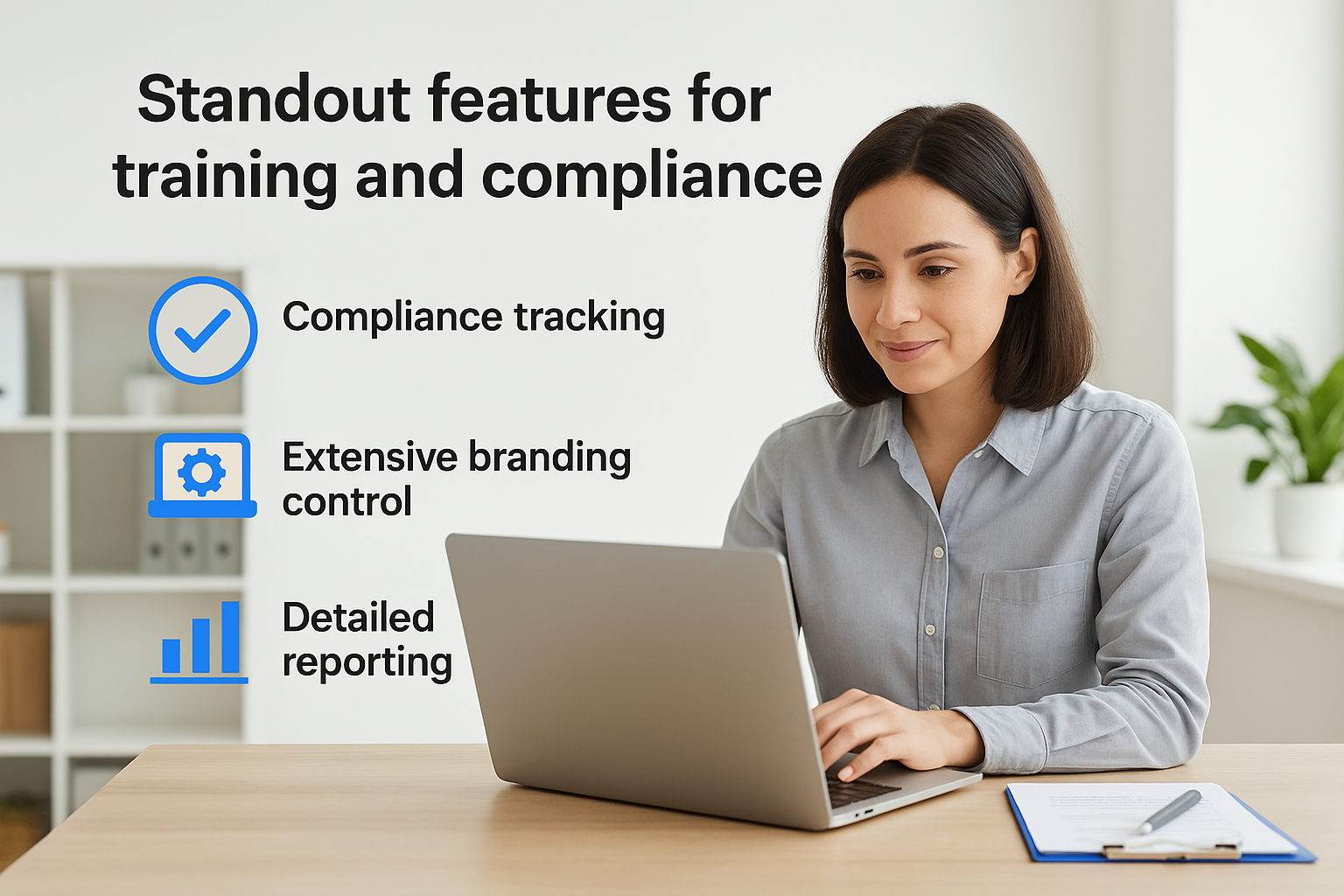
The platform includes advanced compliance tracking for industries with strict regulatory requirements, including features for certifications, recertifications, and audit trails. You get extensive branding control to match your company identity, plus tools for creating learning paths that guide employees through structured training sequences. Reporting goes beyond basic completion rates to show learning effectiveness and skill gaps.
Integrations, SSO, and automation
Axis LMS connects with over 5,000 systems through its integration builder, including CRM platforms like Salesforce and HR systems like BambooHR. The REST API and webhooks let you build custom integrations for specific workflows. Single sign-on support works with major providers including Okta and Azure, eliminating separate login credentials for your team.
Axis LMS pricing
Atrixware provides custom pricing based on your user count and required features rather than publishing standard tiers. You’ll need to contact their sales team for a quote tailored to your specific training needs and team size.
2. Trainual
Trainual focuses specifically on process documentation and standard operating procedures, positioning itself as more than traditional employee training software for small business. The platform treats training as a way to capture and transfer company knowledge, making it particularly valuable for businesses that need to standardize workflows across locations or reduce dependency on institutional knowledge held by individual employees.
How Trainual works
You build content in a structured outline format that mirrors how processes actually flow in your business. The platform organizes training into subjects, topics, and steps, letting you document everything from opening procedures to customer service protocols. Learners progress through material at their own pace, and you track completion through dashboards that show who knows what across your organization.
Best fit for small businesses
Trainual works best for businesses with repeatable processes that need documentation, particularly franchises, retail operations, or service companies with multiple locations. It excels when you’re trying to scale operations while maintaining consistency. Teams focused purely on compliance training or technical skills development might find the structure limiting compared to more flexible LMS platforms.
The right platform turns your best employee’s knowledge into training everyone can access and follow.
Standout features for onboarding and SOPs
The platform includes templates for common business processes that you customize rather than building from scratch. You create role-based playbooks that combine multiple training topics into complete job descriptions. Testing features let you verify that employees understand procedures before they work independently, and version control tracks changes to your documentation over time.
Integrations and automation
Trainual connects with tools like Slack, BambooHR, and Zapier to automate enrollment and notifications. The integrations focus on streamlining onboarding workflows rather than deep data synchronization. You can trigger training assignments when new employees join through your HR system.
Trainual pricing
Plans start at $250 per month for up to 25 users, with unlimited content creation. You’ll pay more as you add users, and pricing increases for features like advanced integrations and priority support.
3. TalentLMS
TalentLMS markets itself as employee training software for small business that balances simplicity with professional features. The platform emphasizes quick setup and straightforward course creation, letting you launch training programs within hours rather than weeks. Epignosis built TalentLMS for teams that need a full learning management system without the complexity or price tag of enterprise solutions.
How TalentLMS works
You create courses using a straightforward content editor that accepts video, presentations, documents, and SCORM files. The system organizes learners into branches or groups based on departments or locations, then assigns courses automatically based on those groupings. Your team accesses training through a portal you customize with your branding, and the platform tracks progress through built-in dashboards that show completion rates and quiz scores.
Best fit for small businesses
TalentLMS fits businesses that need a traditional LMS structure without heavy customization requirements. It works well if you’re delivering standardized courses to multiple locations or departments, particularly in retail, hospitality, or professional services. Companies that need extensive workflow automation or deep integrations with business systems might find the platform less flexible than alternatives.
The platform that gets your team trained fastest matters more than the one with the longest feature list.
Standout features for course delivery
The platform includes gamification elements like points, badges, and leaderboards to increase learner engagement. You access a built-in course library with ready-made content on common business topics, letting you launch training immediately while you build custom material. Video conferencing integration lets you run live training sessions directly within the platform.
Reporting, automation, and certifications
TalentLMS generates automated reports on course completion, quiz results, and time spent learning. The system issues certificates when learners complete courses and sends automated reminders for expiring certifications. You export data to spreadsheets for deeper analysis or compliance documentation.
TalentLMS pricing
Plans start at $69 per month for up to 40 users with core features included. You’ll pay more for additional users and advanced capabilities like custom domains and removed branding, with pricing scaling based on your active learner count.
4. Connecteam
Connecteam differentiates itself as employee training software for small business specifically built for deskless and frontline teams. The platform combines training with communication, scheduling, and operations tools, making it a comprehensive solution for businesses where employees work outside traditional office settings. You get mobile-first design that lets workers access training from their phones, whether they’re on job sites, in retail stores, or managing field operations.
How Connecteam works
You create courses using a mobile-optimized builder that formats content automatically for small screens. The system supports video, images, documents, and quizzes, organizing them into training modules that employees complete between shifts or during downtime. Your team downloads the app to their phones, accesses assigned training, and completes courses without needing desktop computers.
Best fit for small businesses
Connecteam works best for businesses with frontline or field employees who rarely sit at desks, including construction companies, restaurants, retail operations, or service providers. Teams that need communication and scheduling alongside training benefit from the combined functionality. Office-based businesses focused solely on traditional learning management might find more specialized LMS platforms better suited to their needs.
Training that works on the devices your team actually carries gets completed faster than desktop-only solutions.
Standout features for deskless teams
The platform includes shift scheduling and time tracking integrated with training assignments, letting you coordinate when employees complete required courses. You send push notifications directly to employee phones for training reminders or urgent updates. Built-in communication tools let you broadcast messages or create discussion groups without switching apps.
Tracking and compliance basics
Connecteam provides completion tracking and basic reporting that shows which employees finished required training. The system stores digital certificates and maintains records for compliance documentation. You export reports for audits or management review.
Connecteam pricing
Plans start at $29 per month for up to 30 users with core training features included, scaling up as you add more employees or need advanced capabilities.
5. iSpring Learn
iSpring Learn positions itself as employee training software for small business that prioritizes speed and simplicity over complex features. The platform combines a lightweight learning management system with iSpring’s course authoring tools, letting you create and deliver professional training quickly. You get straightforward course management without the steep learning curve that slows down many LMS implementations.
How iSpring Learn works
You upload existing content or build courses using iSpring’s authoring toolkit, which converts PowerPoint presentations into interactive training modules. The system organizes learners into departments or roles, automatically assigning relevant courses based on those groupings. Your team accesses training through a clean interface that works on desktop and mobile devices, and you track progress through dashboards that highlight completion rates and knowledge gaps.
Best fit for small businesses
iSpring Learn fits businesses that need to launch training programs fast without extensive customization work. It works particularly well if you already create training materials in PowerPoint or need to convert existing presentations into trackable courses. Companies requiring deep workflow automation or extensive integrations with other business systems might find the platform more limited than comprehensive LMS alternatives.
Standout features for quick rollout
The platform includes ready-to-use course templates that speed up content creation for common training topics. You access built-in learner paths that guide employees through sequential training programs automatically. The system supports quizzes and assessments that test knowledge retention, with results feeding directly into your reporting dashboard.
The fastest path to trained employees starts with software you can set up this week, not next quarter.
Content support and reporting
iSpring Learn handles multiple content formats including video, documents, SCORM packages, and presentations. The reporting system generates completion reports and quiz analytics that show which topics employees struggle with most. You export data for compliance records or management review.
iSpring Learn pricing
Plans start at $3.66 per user per month when billed annually, making it one of the more affordable options for small teams needing full LMS functionality.
6. 360Learning
360Learning positions itself as collaborative learning platform that flips traditional top-down training on its head. The system focuses on peer-to-peer knowledge sharing, letting subject matter experts within your company create and deliver training directly to colleagues. This approach works particularly well as employee training software for small business where institutional knowledge lives in the heads of a few key people rather than formal training departments.
How 360Learning works
You identify subject matter experts within your team and give them tools to create courses directly from their expertise. The platform uses a streamlined authoring interface that doesn’t require instructional design experience, letting experts document what they know in formats that make sense for the topic. Learners access courses, provide feedback to improve content, and contribute their own knowledge to create a constantly evolving training library.
Best fit for small businesses
360Learning fits businesses that rely on internal expertise rather than external training content. It works well if your best training comes from experienced employees sharing what they’ve learned on the job. Companies needing rigid compliance training or standardized certification programs might find the collaborative approach less structured than traditional LMS platforms.
Standout features for collaborative training
The platform includes social learning tools that let learners discuss topics, ask questions, and share insights directly within courses. You create cohort-based training programs that group employees together for shared learning experiences. Built-in feedback loops let learners rate content and suggest improvements, keeping your training library relevant.
The most valuable training often comes from the person at the next desk who already solved the problem you’re facing.
Coaching, feedback, and analytics
360Learning provides coaching workflows that let managers guide employee development beyond formal courses. The analytics dashboard tracks engagement metrics and completion rates while highlighting which content drives the best learning outcomes.
360Learning pricing
Pricing starts at approximately $8 per user per month when billed annually, with costs varying based on features and team size.
7. LearnUpon
LearnUpon positions itself as employee training software for small business that won’t limit you as you grow. The platform bridges the gap between basic LMS functionality and enterprise-level features, giving you professional training capabilities without overwhelming complexity. You get the structure needed to manage training programs across departments, locations, or even external partners, while keeping the interface accessible for small teams without dedicated training administrators.
How LearnUpon works
You create courses using a flexible content builder that supports video, documents, SCORM packages, and quizzes. The system organizes learners into portals based on audience type, letting you separate employee training from customer education or partner certification programs. Your team accesses assigned courses through branded interfaces, and you track progress through reporting dashboards that break down performance by group, location, or individual learner.
Best fit for small businesses
LearnUpon fits businesses planning to scale training operations beyond basic employee onboarding. It works particularly well if you need to train multiple audiences like employees, customers, and partners through separate portals. Small teams focused purely on internal onboarding might find more features than they need immediately, but the platform grows with you as training becomes more strategic.
Standout features for scaling training
The platform includes multi-portal functionality that lets you run separate training programs with different branding and content from a single account. You build learning paths that guide learners through sequential courses automatically.
Training software that handles both your employees today and your customers tomorrow saves you from switching platforms later.
Integrations and administration
LearnUpon connects with Salesforce, Zendesk, and major HR systems through pre-built integrations. The platform supports single sign-on and offers API access for custom connections to your existing tools.
LearnUpon pricing
LearnUpon provides custom pricing based on your learner count and required features rather than publishing standard rates.
8. LearnWorlds
LearnWorlds positions itself as employee training software for small business that prioritizes learner engagement through interactive content. The platform focuses on creating immersive training experiences rather than simple page-turning courses, giving you tools to build videos with embedded questions, ebooks with notes, and assessments that adapt based on learner responses. You get course creation capabilities that rival expensive enterprise solutions while keeping the interface manageable for small teams.
How LearnWorlds works
You build courses using a visual editor that lets you add interactive elements directly into videos and documents. The system supports multimedia content including video, audio, PDFs, and SCORM packages, organizing them into structured learning paths. Your team accesses training through a customizable portal that works across devices, and you track engagement through analytics that show not just completion but how learners interact with content.
Best fit for small businesses
LearnWorlds fits businesses that want to create professional training experiences that feel more engaging than typical LMS content. It works particularly well if you’re building customer training programs or selling courses externally alongside employee development. Teams needing basic onboarding with simple course structures might find the interactive features more than they need initially.
The most effective training keeps learners actively engaged rather than passively watching.
Standout features for interactive courses
The platform includes built-in video editing that lets you add quizzes, calls-to-action, and navigation directly into training videos. You create interactive ebooks where learners highlight text, add notes, and complete embedded exercises.

Branding and learner experience
LearnWorlds provides extensive customization options for your training portal, letting you match your brand identity completely. The platform includes social learning features like discussion boards and learner profiles.
LearnWorlds pricing
Plans start at $24 per month for the starter tier, scaling up based on features and learner counts, with transaction fees on lower-tier plans if you sell courses externally.
9. Thinkific
Thinkific started as a course creation platform for entrepreneurs and educators selling training online, but it works effectively as employee training software for small business that needs professional course delivery. The platform gives you powerful course building tools typically reserved for digital learning products, letting you create polished training programs that rival what your team might encounter from external training providers. You get extensive customization options and learner engagement features while keeping setup accessible for small teams.
How Thinkific works
You build courses using a drag-and-drop builder that supports video, audio, PDFs, presentations, quizzes, and assignments. The system organizes content into modules and lessons that learners progress through sequentially or at their own pace. Your team accesses training through a customizable site that reflects your company branding, and you track learner activity through dashboards showing completion rates and engagement metrics.
Best fit for small businesses
Thinkific fits businesses that want to create premium training experiences for employees or need to generate revenue by selling courses to customers or partners. It works particularly well if you value design flexibility and want training that looks professional rather than purely functional. Teams needing deep compliance features or extensive HR system integrations might find platforms purpose-built for corporate training more suitable.
Training that looks and feels professional increases completion rates and reinforces your company’s commitment to employee development.
Standout features for course building
The platform includes advanced content protection that prevents unauthorized sharing of training materials. You create drip content schedules that release lessons over time rather than all at once, helping learners absorb information gradually.
Communities, tracking, and certificates
Thinkific provides discussion forums where learners interact and share insights about course topics. The system automatically issues customizable certificates when learners complete courses and maintains records for compliance documentation.
Thinkific pricing
Plans start at $49 per month for basic features with up to three courses, scaling up for unlimited courses and advanced functionality like memberships and bulk enrollments.
10. SkyPrep
SkyPrep positions itself as employee training software for small business that simplifies the administrative burden of running training programs. The platform focuses on streamlined onboarding and recurring training management, giving you automated workflows that reduce manual work for small HR teams or business owners managing training alongside other responsibilities. You get clean interfaces for both administrators and learners that eliminate the complexity often found in traditional learning management systems.
How SkyPrep works
You upload existing training materials or create courses using a straightforward content editor that accepts video, documents, presentations, and quizzes. The system automatically assigns courses based on employee roles or departments, sends reminders for incomplete training, and tracks progress through visual dashboards. Your team accesses training through a portal that works on desktop and mobile browsers without requiring app downloads.
Best fit for small businesses
SkyPrep fits businesses that need to onboard new employees consistently while managing ongoing training requirements. It works particularly well if you’re tired of manually tracking who completed what or sending individual reminder emails. Companies requiring extensive customization or complex learning paths might find more flexibility in platforms with deeper feature sets.
Software that handles administrative tasks automatically gives small teams time to focus on building better training content.
Standout features for onboarding programs
The platform includes automated enrollment workflows that add new employees to required training based on their role when they join. You create training schedules that assign courses at specific intervals, perfect for progressive onboarding programs.
Reporting and admin workflow
SkyPrep provides completion dashboards that show training status across your organization at a glance. The system generates reports on quiz scores and time spent learning, with export options for compliance documentation.
SkyPrep pricing
Pricing starts at approximately $199 per month for small teams, with costs scaling based on active user counts and required features.
11. Absorb LMS
Absorb LMS positions itself as enterprise-grade employee training software for small business that anticipates growth. The platform delivers comprehensive learning management capabilities with a focus on compliance tracking and automation depth typically reserved for larger organizations. You get sophisticated features packaged in an interface that remains accessible for teams without dedicated training departments, making it a choice for businesses that take learning seriously from the start.
How Absorb LMS works
You build courses using a content management system that handles video, documents, SCORM packages, and xAPI content. The platform organizes learners into groups based on departments or roles, automatically enrolling them in required training. Your team accesses courses through a responsive interface that adapts to desktop and mobile devices, and you monitor progress through dashboards that surface completion rates and assessment scores across your organization.
Best fit for small businesses
Absorb LMS fits businesses operating in regulated industries where training documentation matters as much as delivery. It works particularly well if you anticipate rapid growth and need a platform that scales without forcing migration later. Small teams focused on basic onboarding without compliance requirements might find simpler platforms more cost-effective initially.
Standout features for compliance-heavy teams
The platform includes advanced certification management that tracks expiration dates and triggers automatic recertification workflows. You maintain audit trails that document who completed what training and when, essential for regulatory inspections.
Compliance training demands software that proves training happened, not just that you assigned it.
Automation and reporting depth
Absorb LMS provides intelligent automation that assigns training based on job changes or skill gaps identified through assessments. The reporting system generates detailed analytics showing learning effectiveness across departments, with customizable dashboards for different stakeholders.
Absorb LMS pricing
Absorb LMS offers custom pricing based on your active learner count and required features, requiring direct contact with their sales team for specific quotes.
12. Docebo
Docebo positions itself as AI-powered employee training software for small business that anticipates future needs. The platform delivers enterprise-level learning technology with machine learning capabilities that personalize training paths and automate administrative tasks. You get sophisticated features like content recommendations and predictive analytics that typically require dedicated learning technology teams to manage, packaged in a system designed for scalability from day one.
How Docebo works
You build courses using a content library system that accepts multiple formats including video, SCORM, xAPI, and documents. The platform uses artificial intelligence to recommend relevant training to learners based on their roles and past activity. Your team accesses courses through customizable interfaces across devices, and you monitor progress through dashboards that predict completion likelihood and identify engagement patterns.
Best fit for small businesses
Docebo fits businesses that plan to scale training operations significantly and need technology that won’t require replacement as they grow. It works particularly well if you’re managing learning for multiple audiences or need advanced automation to reduce administrative overhead. Teams seeking simple onboarding solutions without sophisticated features might find the platform more complex than their immediate needs require.
The most forward-thinking training platforms automate decisions you’d otherwise make manually every week.
Standout features for advanced automation
The platform includes AI-driven content recommendations that suggest courses based on skill gaps and career paths. You create automated learning workflows that trigger training based on job changes, performance reviews, or certification expirations.
Integrations and scalability
Docebo connects with major business systems including Salesforce, Microsoft Teams, and leading HRIS platforms through pre-built integrations. The platform supports extensive API access for custom connections and handles growing learner counts without performance degradation.
Docebo pricing
Docebo provides custom pricing based on your specific requirements and learner count, requiring contact with their sales team for detailed quotes.
Next steps
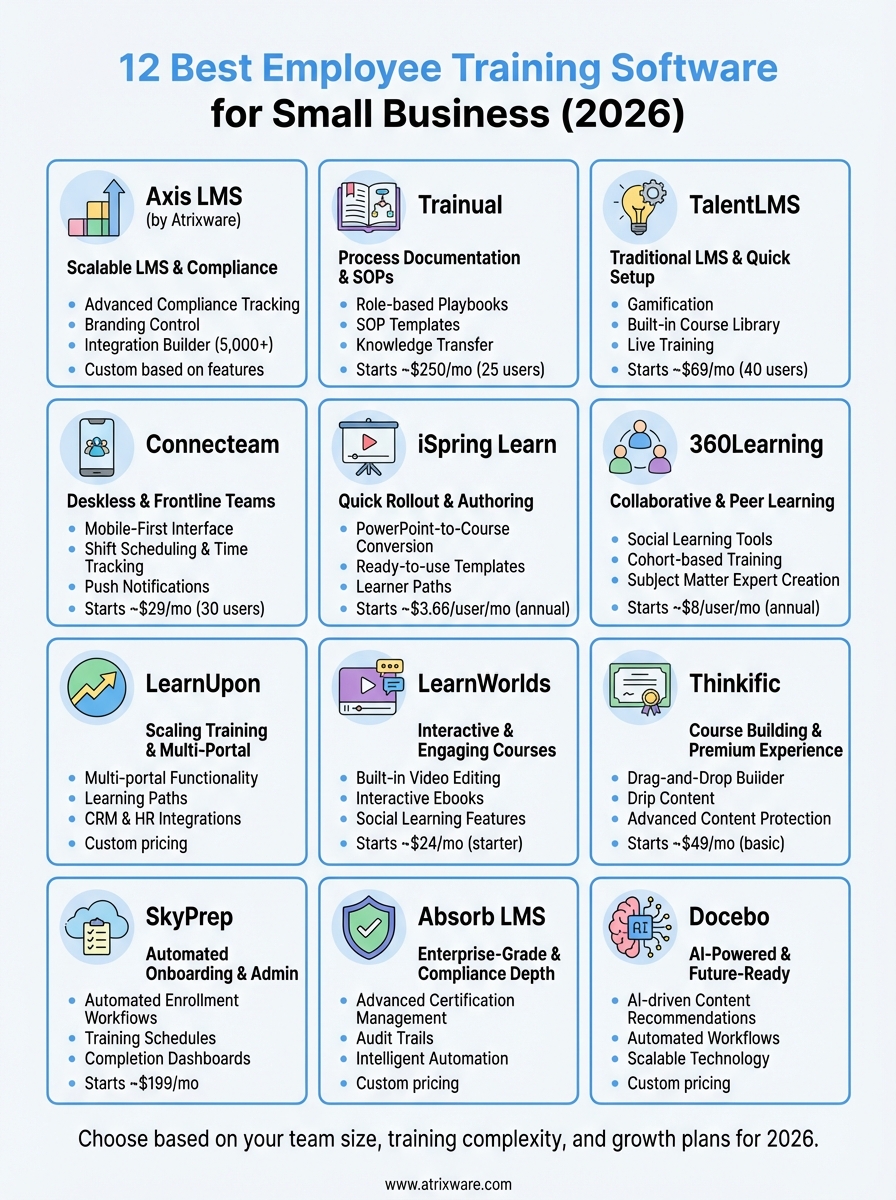
You now have a clear picture of the employee training software for small business options available in 2026. Each platform on this list brings different strengths to the table, from Trainual’s process documentation to Docebo’s AI-powered automation. Your choice depends on your specific situation: the size of your team, your training complexity, your budget, and how much you expect to grow in the coming years.
Start by narrowing your list to three platforms that match your immediate needs and price range. Request demos from each, and involve the people who will actually use the system daily in your evaluation. Test the interface with real training content you need to deliver, not just the vendor’s sample courses. Pay attention to setup time and whether the platform feels intuitive or requires constant reference to documentation.
If you’re considering Axis LMS and want to see how it handles your specific training requirements, take our LMS readiness quiz to identify which features matter most for your business stage.
