Your customers sign up with high hopes. They pay for your product. Then they stop logging in. Support tickets pile up because users can’t figure out basic features. Product adoption stalls, and churn rates climb. You know training could fix this, but building a customer training strategy that actually works and scales feels overwhelming. Most companies either throw together disconnected resources or invest months in training programs that customers never complete.
The answer is a systematic approach. A structured strategy turns training from a cost center into a growth driver. When you build training that aligns with customer needs and business goals, you see measurable improvements in product adoption, support efficiency, and retention rates. The best part? You can start small and scale as you learn what works.
This guide walks you through five concrete steps to build your customer training program. You’ll learn how to set clear goals, map what customers actually need to learn, create content they’ll finish, choose the right delivery methods, and measure what matters. Each step includes specific actions you can take this week to move forward.
What a customer training strategy includes
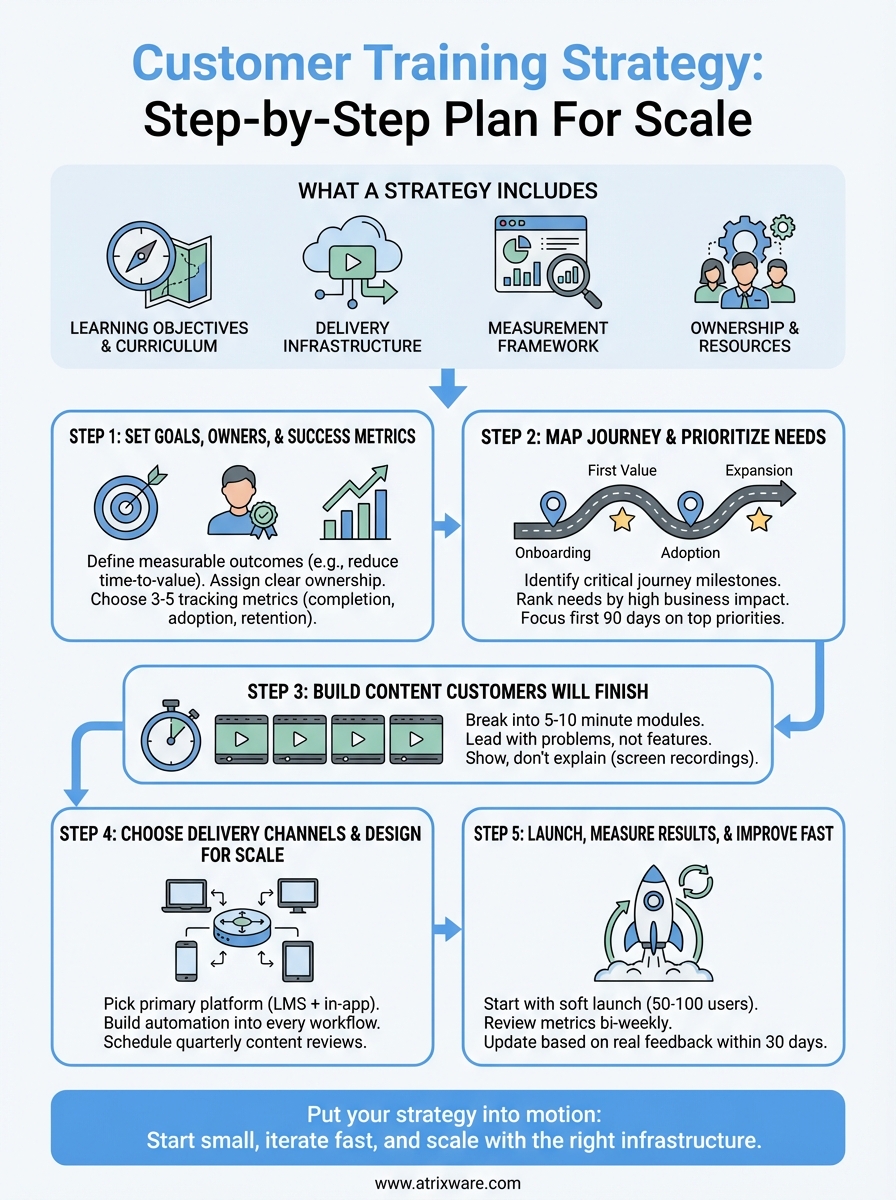
A customer training strategy combines four core components that work together to educate users and drive business results. Think of it as your blueprint for what to teach, how to deliver it, who’s responsible, and how you’ll know it works. Without all four pieces, you end up with scattered resources that customers ignore or training that doesn’t connect to outcomes.

Learning objectives and curriculum
You need a clear map of what customers should learn and when they should learn it. Start by identifying the specific skills and knowledge customers need at each stage of their journey. New users need different training than power users who want advanced features.
Your curriculum should break down into distinct learning paths based on user roles, goals, or product tiers. For example, you might create separate tracks for administrators versus end users, or for customers in different industries. Each path defines the sequence of topics, the depth of coverage, and prerequisites. This structure prevents you from overwhelming beginners with advanced content or boring experienced users with basics they already know.
The best training programs treat learning like a product, not a documentation dump.
Delivery infrastructure
This component covers how and where customers access training. You’ll make decisions about learning platforms, content formats, and support resources. Most companies use a learning management system (LMS) to organize courses, track progress, and automate enrollment. Others combine self-serve knowledge bases, live webinars, and in-app guidance.
Your delivery infrastructure must scale without breaking your team. Automated onboarding sequences get new customers started without manual intervention. Video libraries let users learn at their own pace. Discussion forums reduce repetitive support questions. The key is choosing channels that match how your customers prefer to learn while keeping your operational costs manageable as you grow.
Measurement framework
You track specific metrics that connect training to business outcomes you care about. This means going beyond completion rates to measure what actually matters: product adoption, time to value, support ticket reduction, and retention improvements.
Set up data collection systems from the start. Your LMS should track who completes what and when. Product analytics should show how training affects feature usage. Support tools should tag tickets by topic so you can identify knowledge gaps. Combine these data sources to understand which training drives results and which content needs improvement. Review your metrics monthly to spot trends and adjust your strategy before small problems become big ones.
Ownership and resources
Someone on your team needs to own the training program and have authority to make it succeed. This person coordinates content creation, manages the platform, analyzes results, and champions training across departments. Without clear ownership, training initiatives stall when priorities shift.
Budget for the tools, time, and talent your strategy requires. Account for LMS costs, content creation hours, subject matter expert time, and ongoing maintenance. Most companies underestimate the effort needed to keep training current as products evolve. Plan for quarterly content updates and annual strategy reviews to keep your program relevant and effective.
Step 1. Set goals, owners, and success metrics
Your customer training strategy fails without clear targets and accountability. Most teams jump straight to creating courses without defining what success looks like or who owns the results. This creates training programs that drift, miss the mark, or get abandoned when other priorities emerge. Start by locking in three foundational decisions: what you want to achieve, who’s responsible, and how you’ll measure progress.
Define measurable business outcomes
Pick two to four specific business problems your training will solve. Don’t aim for vague goals like "improve customer success" or "increase engagement." Instead, target concrete outcomes such as reducing time to first value from 30 days to 15 days, cutting feature-related support tickets by 40%, or increasing product adoption rates among new customers by 25% within 90 days.
Connect each outcome to revenue or cost savings so stakeholders understand the business case. For example, if you reduce support tickets by 40%, calculate the hours saved and multiply by your support cost per hour. If you improve retention by 5%, estimate the recurring revenue impact over 12 months. These numbers justify your investment and help you prioritize which training initiatives matter most.
Assign clear ownership
Name one person who owns training results, not just content creation. This owner needs authority to make decisions, access to resources, and time allocated in their role. Splitting ownership between customer success, product, and marketing creates confusion and slows execution.
The owner’s responsibilities include building the curriculum roadmap, coordinating subject matter experts, managing the LMS, analyzing metrics, and reporting progress to leadership. They should spend at least 50% of their time on training initiatives to move fast and maintain momentum.
Choose 3-5 tracking metrics
Select metrics that directly connect training to outcomes you defined earlier. Track completion rates to understand engagement, but also measure behavior changes like feature adoption, certification achievement, or reduced support contacts per user.
The metrics you track shape the training program you build.
Set up monthly metric reviews where your training owner presents results and recommends adjustments. Review these core metrics:
- Completion rate: Percentage of enrolled users who finish courses
- Time to competency: Days from signup to completing core training path
- Feature adoption: Percentage of trained users actively using key features
- Support ticket reduction: Change in tickets per user after training
- Retention lift: Difference in 90-day retention between trained and untrained cohorts
Step 2. Map the customer journey and prioritize needs
You can’t train everyone on everything at once. Effective customer training strategies match content to where customers are in their journey and what they need to accomplish next. Most teams waste time creating advanced training that new users aren’t ready for, or they overwhelm beginners with every feature at signup. Map specific training needs to each journey stage so customers get the right information at the right time.
Identify critical journey milestones
Break your customer journey into four to six key stages based on where users experience friction or drop off. Start with common stages like signup, first setup, initial success, regular usage, and expansion. Track how long customers typically spend in each stage and where they get stuck.
For each stage, document the core actions customers must complete to move forward. A new user might need to configure settings, import data, and complete their first workflow. A regular user might need to master shortcuts, integrate tools, or train team members. List out these actions for every stage.
Map training to the moments when customers need it most, not when it’s convenient for you to create.
Use this simple framework to organize your findings:
| Journey Stage | Key Actions Required | Common Blockers | Training Priority |
|---|---|---|---|
| Onboarding | Setup account, configure settings | Too many options, unclear next steps | High |
| First Value | Complete core workflow | Missing features, setup errors | Critical |
| Adoption | Use 3+ features regularly | Forgetting how, not seeing value | High |
| Expansion | Add users, integrate tools | Permission confusion, API setup | Medium |
Rank needs by business impact
Score each training need based on how directly it affects your goals from Step 1. Use a simple three-point scale: high impact moves the needle on retention or support costs, medium impact improves efficiency, low impact is nice to have.
Focus your first 90 days on high-impact training that solves your biggest problems. If support tickets about data imports consume 30% of your team’s time, create comprehensive import training first. If customers who don’t use your mobile app churn at twice the rate, prioritize mobile training next. Build three to five high-impact modules before creating anything else.
Step 3. Build content customers will actually finish
Most training content fails because it’s too long, too boring, or too detached from real work. Customers abandon courses that feel like lectures or documentation dumps. Your customer training strategy succeeds when you create content that respects their time and delivers immediate value. Focus on short, specific modules that solve one problem at a time instead of comprehensive courses that cover everything.
Break content into 5-10 minute modules
Create training units that fit into a busy workday without requiring dedicated focus time. Each module should teach one skill or concept that customers can apply immediately. For example, instead of a 45-minute course on "Advanced Features," build separate 7-minute modules on "Automate Email Responses," "Build Custom Reports," and "Set Up User Permissions."
Structure each module with three components: what they’ll learn (30 seconds), how to do it (4-6 minutes), and what to try next (30 seconds). This format gives customers a quick win and builds momentum.
Lead with problems, not features
Start every piece of content by naming the specific problem you’re solving. Don’t title a video "Introduction to Dashboard Widgets." Instead, call it "Track Your Top Metrics Without Opening Five Reports." Customers engage when they recognize their own challenges in your content.
Use this template for every training module:
Problem: [Specific pain point customers experience]
Solution: [The feature or workflow that solves it]
Steps: [3-5 concrete actions to implement]
Result: [What they’ll achieve or avoid]
Show, don’t explain
Replace text-heavy slides with screen recordings that demonstrate exactly what to click. Record your actual workflow, including mistakes and corrections, so customers see how real users work. Add brief captions to highlight key actions instead of narrating every step.
Training that mimics real work sticks better than training that lectures about it.
Include downloadable templates, checklists, or starter files that customers can use immediately. Give them a pre-built dashboard to customize, a sample workflow to modify, or a checklist to follow during setup. These resources transform passive learning into active practice.
Step 4. Choose delivery channels and design for scale
Your training delivery method determines how many customers you can reach without multiplying your workload. A customer training strategy that relies on live sessions and manual enrollment hits a wall fast. You need channels that serve one customer or one thousand with the same effort. Choose platforms and processes that automate repetitive tasks and let you update content once to reach everyone.
Pick your primary training platform
Select a learning management system (LMS) as your central hub where all training lives and customers track their progress. Look for platforms that automate enrollment based on customer data, send reminder emails without manual triggers, and report on completion rates across your entire user base. Your LMS should integrate with your CRM and support tools so customer training data flows into the systems you already use daily.
Combine your LMS with in-app guidance for just-in-time learning. Use tooltips, walkthroughs, or embedded videos that appear when customers access specific features for the first time. This approach catches users at the exact moment they need help instead of requiring them to remember training from weeks ago.
Build automation into every workflow
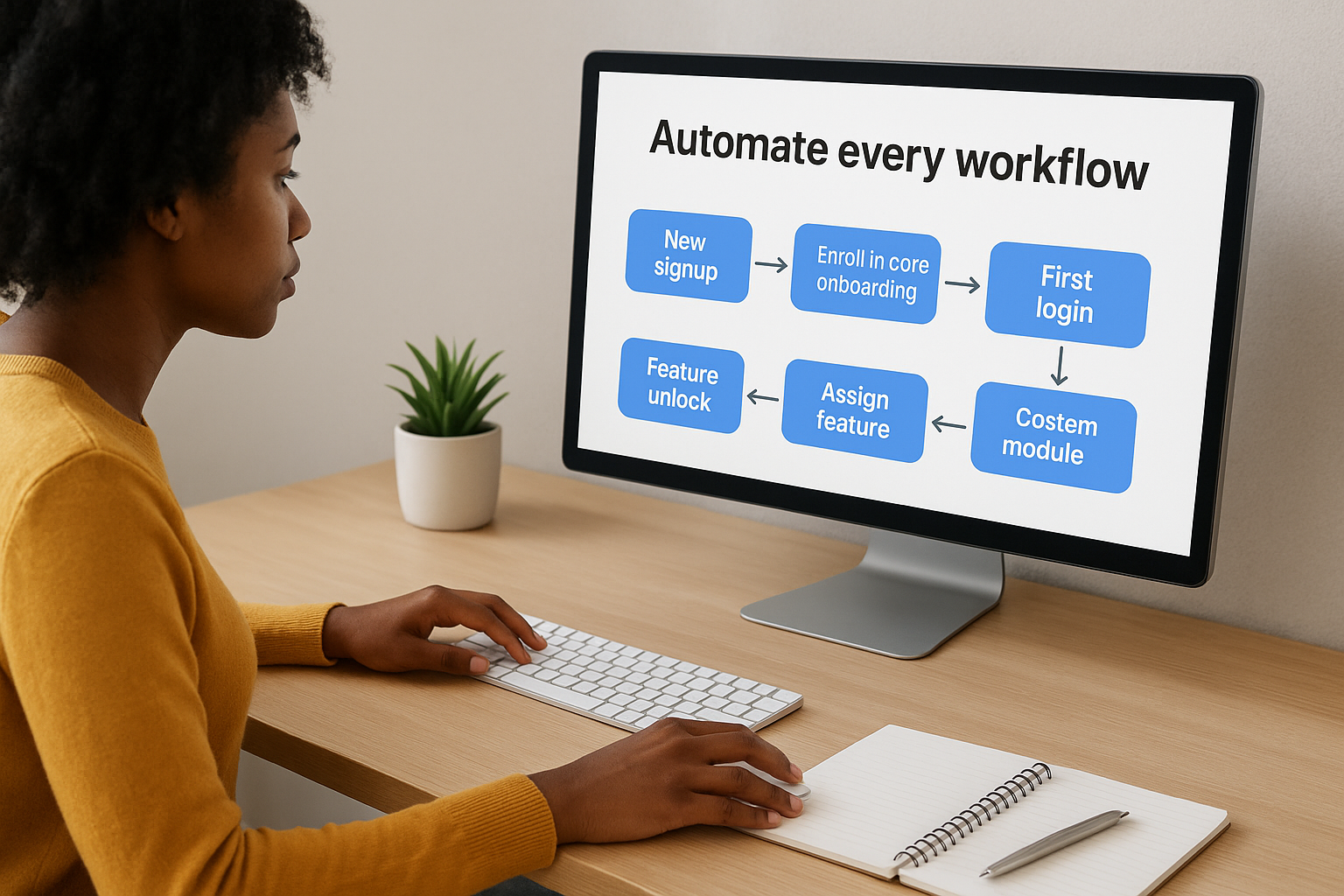
Design enrollment rules that automatically assign training based on customer attributes, product tier, or usage patterns. When a new customer signs up, they should enter your onboarding sequence without anyone clicking a button. When customers upgrade to premium features, they should instantly receive advanced training.
Training that scales removes humans from the delivery path, not from the content creation process.
Create these automation triggers in your first 30 days:
| Trigger Event | Automated Action | Purpose |
|---|---|---|
| New signup | Enroll in core onboarding path | Get users started fast |
| First login | Send welcome email + training link | Direct immediate attention |
| Feature unlock | Assign feature-specific module | Enable new capabilities |
| 30 days inactive | Send re-engagement training | Recover at-risk users |
| Support ticket pattern | Recommend relevant course | Reduce repeat issues |
Schedule quarterly content reviews where you update modules based on product changes, support trends, and customer feedback. Update once in your LMS and every enrolled customer sees the new version automatically.
Step 5. Launch, measure results, and improve fast
Your customer training strategy only works when customers actually use it. Launch quickly with a small group instead of waiting for perfect content. You’ll learn more from real users in two weeks than from internal reviews in two months. Start with 50 to 100 customers who match your target profile, give them access to your core training modules, and watch what happens.
Start with a soft launch
Pick customers who already engage with your product and send them a personal invitation to test your training program. Explain you’re piloting new resources and want their feedback. This approach creates goodwill and gives you forgiving early users who understand they’re seeing version one.
Track three things during your soft launch: completion rates by module, time spent on each piece of content, and where customers drop off. Set up these tracking mechanisms before you send the first invitation so you capture clean data from day one.
Review metrics every two weeks
Schedule bi-weekly 30-minute reviews where you analyze the metrics you defined in Step 1. Compare actual results against your targets and identify your biggest gaps. If completion rates sit below 40%, your content is too long or not relevant enough. If trained customers still contact support about covered topics, your training isn’t sticking.
Small, frequent adjustments beat quarterly overhauls every time.
Use this review framework to stay focused:
| Metric | Target | Actual | Action Needed |
|---|---|---|---|
| Module completion | 60% | 45% | Shorten modules, improve relevance |
| Support ticket reduction | 30% | 12% | Add more specific scenarios |
| Feature adoption lift | 25% | 18% | Strengthen call-to-action |
Update based on real feedback
Add a one-question survey at the end of each training module asking "Did this help you accomplish your goal?" with Yes/No/Partially options. Read every piece of feedback customers provide and look for patterns. When three customers mention the same confusion point, fix it that week.
Replace underperforming content within 30 days of identifying problems. Your customer training strategy improves through rapid iteration, not annual planning cycles. Test new approaches with small groups before rolling them out broadly.
Put your strategy into motion
Your customer training strategy succeeds when you start small and iterate fast. Pick one high-impact training need from your journey map and build that first module this week. Launch it to 50 customers, measure results within two weeks, and adjust based on real feedback. This cycle of build, measure, and improve beats spending months on comprehensive programs that miss the mark.
You need the right infrastructure to scale your training without multiplying your workload. A learning management system automates enrollment, tracks completion across your customer base, and updates content instantly for everyone. The platform you choose determines how fast you can move and how much manual work you eliminate from your process. See how Axis LMS works with a free admin demo to explore automated learning paths, built-in analytics, and integrations that connect your training data to existing CRM and support systems.
