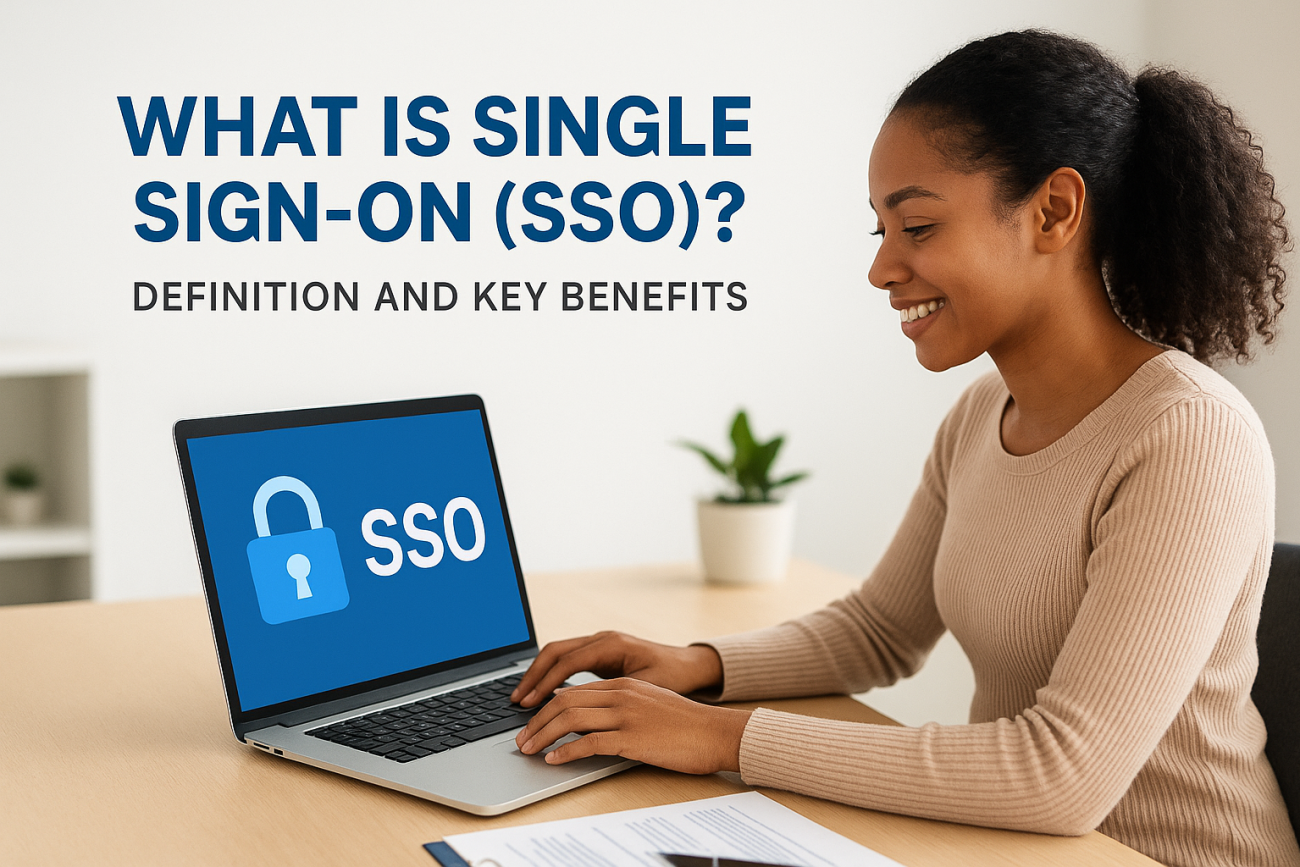
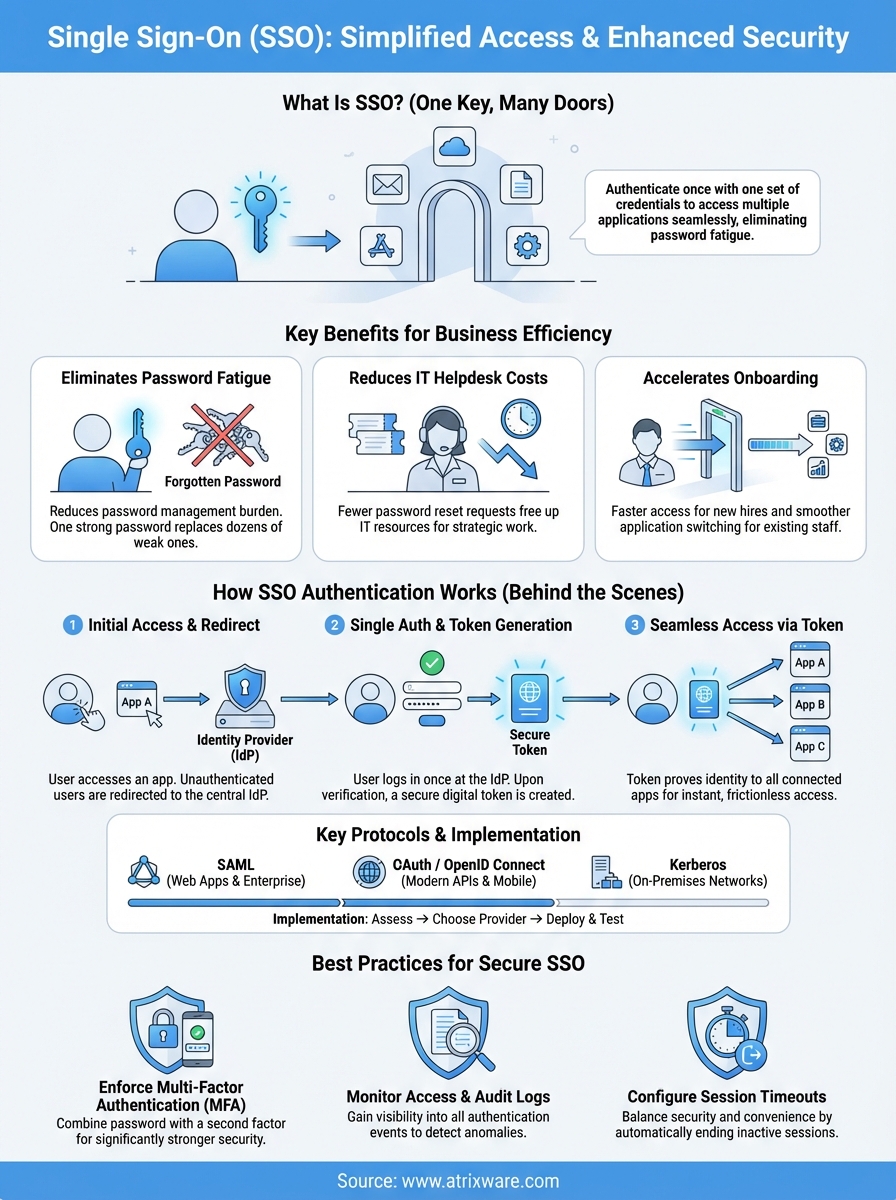
Single sign-on (SSO) lets you access multiple applications with one set of login credentials. Instead of remembering dozens of passwords for different systems, you authenticate once and gain access to everything you need. Think of it as a master key that unlocks all your doors. SSO simplifies the login process while maintaining security across your entire digital ecosystem.
This article explains what is single sign on and how it transforms the way your organization handles authentication. You’ll learn why SSO matters for business efficiency, how the authentication process actually works behind the scenes, and which protocols power these systems. We’ll walk you through practical implementation steps for your organization and share best practices for keeping your SSO access secure. Whether you manage employee training platforms, customer portals, or multiple business applications, understanding SSO helps you reduce password fatigue, improve security, and give users a smoother experience.
Why single sign-on is vital for business efficiency
Password management drains productivity from your organization every single day. Your employees waste valuable work time resetting forgotten passwords, juggling multiple credentials, and navigating different login screens. When you multiply this friction across hundreds or thousands of users, the impact on your business becomes substantial. Single sign-on eliminates this burden by giving your team instant access to all the applications they need with a single authentication.
Eliminating password fatigue across your organization
Your users face an overwhelming number of login credentials. The average employee manages dozens of different passwords for various work applications, from email and project management tools to training platforms and customer relationship systems. This complexity creates security risks when people resort to weak passwords or reuse the same credentials across multiple systems. SSO solves this problem by consolidating authentication into one secure gateway, which means your team remembers one strong password instead of many weak ones.
Understanding what is single sign on means recognizing how it transforms password security from a liability into a strength.
Reducing IT helpdesk workload and costs
Password reset requests consume a massive portion of your IT support resources. Studies show that 20 to 50 percent of all helpdesk calls involve password issues. Your IT team spends countless hours handling these requests instead of focusing on strategic initiatives that drive business growth. SSO dramatically reduces these support tickets by removing the need for multiple password resets. Cost savings become immediately visible when your helpdesk handles fewer routine requests and can redirect that capacity toward higher-value work.
Accelerating onboarding and user productivity
New employee onboarding becomes significantly faster when you implement SSO. Instead of provisioning access to each individual application separately, you grant access through one centralized system. Your new hires start contributing sooner because they aren’t waiting for credentials to multiple platforms or struggling to remember numerous login details. Existing employees also benefit from seamless transitions between applications throughout their workday. They switch from your LMS to your CRM to your project management tool without repeated authentication interruptions, maintaining workflow momentum and staying focused on their actual work rather than login procedures.
How the single sign-on authentication process works
SSO authentication follows a straightforward sequence that happens almost instantly in the background. When you attempt to access an application, the system checks whether you’ve already authenticated. If you haven’t, it redirects you to a central authentication server where you enter your credentials once. After successful authentication, this server generates a secure token that proves your identity and grants you access to all connected applications without requiring additional logins.

The initial authentication step
You start by accessing any application within your organization’s SSO ecosystem. The application immediately recognizes that you haven’t authenticated yet and redirects you to the identity provider (the central authentication server). This provider presents a single login screen where you enter your username and password. The system verifies these credentials against its directory, which might be an internal database or a service like Microsoft Active Directory. Once verified, the authentication process moves to token creation.
Token generation and validation
After you successfully authenticate, the identity provider generates a secure token that contains your verified identity information. This token acts like a digital passport that confirms who you are to every application you access. The system encrypts this token to prevent tampering and sets an expiration time for security purposes. Each time you access a new application, that application checks the token’s validity with the identity provider rather than asking you to log in again.
Understanding what is single sign on means recognizing how tokens eliminate repetitive authentication while maintaining security across your entire application ecosystem.
Seamless access across connected systems
Your authenticated session now grants you immediate access to all authorized applications. When you click on your learning management system, customer database, or project tools, each application validates your token in milliseconds and lets you in. The SSO system tracks your session and automatically logs you out of all connected applications when you close your browser or after a predetermined timeout period, maintaining consistent security across your entire digital workspace.
Key protocols that enable single sign-on
Technical protocols form the foundation of every SSO system, acting as the standardized languages that allow different applications to communicate securely about user authentication. These protocols define exactly how applications verify your identity and share authentication data without exposing your credentials. Your organization likely uses one or more of these protocols depending on your specific applications and infrastructure, though the authentication process remains seamless regardless of which protocol operates behind the scenes.
SAML (Security Assertion Markup Language)
SAML dominates enterprise SSO implementations because it handles authentication and authorization across web-based applications with exceptional security. This protocol works by exchanging XML-based messages between your identity provider and service providers (the applications you use). When you log in, SAML creates a digitally signed assertion that confirms your identity and permissions, which applications trust because they’ve established a prior relationship with your identity provider. Organizations choose SAML when they need to connect cloud applications, internal systems, and third-party services into a unified authentication experience.
OAuth and OpenID Connect
OAuth 2.0 handles authorization by granting applications limited access to your resources without sharing your password, while OpenID Connect builds on OAuth to add authentication capabilities. These protocols power the "Log in with Google" or "Log in with Microsoft" buttons you see across modern applications. Your mobile apps and web services typically rely on these protocols because they support modern API-based architectures and provide flexible permission scopes that control exactly what each application can access.
Understanding what is single sign on means recognizing how these protocols work together to create secure, seamless authentication experiences across your entire technology stack.
Kerberos for enterprise networks
Kerberos operates within your internal network to authenticate users across on-premises systems like Windows domains and legacy applications. This protocol uses ticket-based authentication that proves your identity to network resources without repeatedly transmitting your password. Your Windows-based infrastructure often runs Kerberos automatically in the background, making it the invisible protocol that grants you access to file servers, email systems, and internal applications throughout your workday.
How to implement single sign-on in your organization
Implementing SSO requires a systematic approach that balances security requirements with user experience. Your implementation journey typically spans several weeks to months depending on your organization’s size and technical complexity. Success depends on careful planning, stakeholder involvement, and thorough testing before you roll out SSO to your entire workforce.
Assess your current applications and infrastructure
You need to inventory every application your organization uses before selecting an SSO solution. Document which systems your employees access regularly, including your learning management system, CRM platforms, email services, and internal tools. Check whether each application supports modern authentication protocols like SAML, OAuth, or OpenID Connect. Legacy applications that lack SSO support might require additional integration work or custom connectors. Your IT team should also evaluate your existing identity management infrastructure, whether that’s Active Directory, LDAP, or a cloud-based directory service.
Choose the right SSO provider and protocol
Your provider selection depends on your application ecosystem and budget constraints. Cloud-based identity providers like Microsoft Azure Active Directory, Okta, or Google Workspace offer comprehensive SSO capabilities with minimal infrastructure requirements. These platforms support multiple protocols and provide pre-built integrations for thousands of popular applications. Determine which protocol best fits your needs based on your application portfolio. Organizations with primarily web-based cloud applications typically choose SAML or OpenID Connect, while those with legacy systems might need Kerberos support.
Understanding what is single sign on helps you select the right provider and protocol combination that matches your specific technical requirements and business goals.
Deploy and test your SSO system
Start your deployment with a pilot group of users who can provide feedback and help identify issues before full rollout. Configure your identity provider, establish trust relationships with each application, and map user attributes correctly across systems. Test every authentication scenario thoroughly, including login workflows, logout procedures, and session timeouts. Your pilot phase should verify that users can access all authorized applications smoothly and that permissions sync correctly from your directory.
Best practices for securing SSO access
SSO security requires constant vigilance because a single compromised credential grants access to your entire application ecosystem. Your organization needs layered security measures that protect both the authentication process and ongoing session management. These practices reduce risk while maintaining the convenience that makes SSO valuable for your users.
Enforce multi-factor authentication
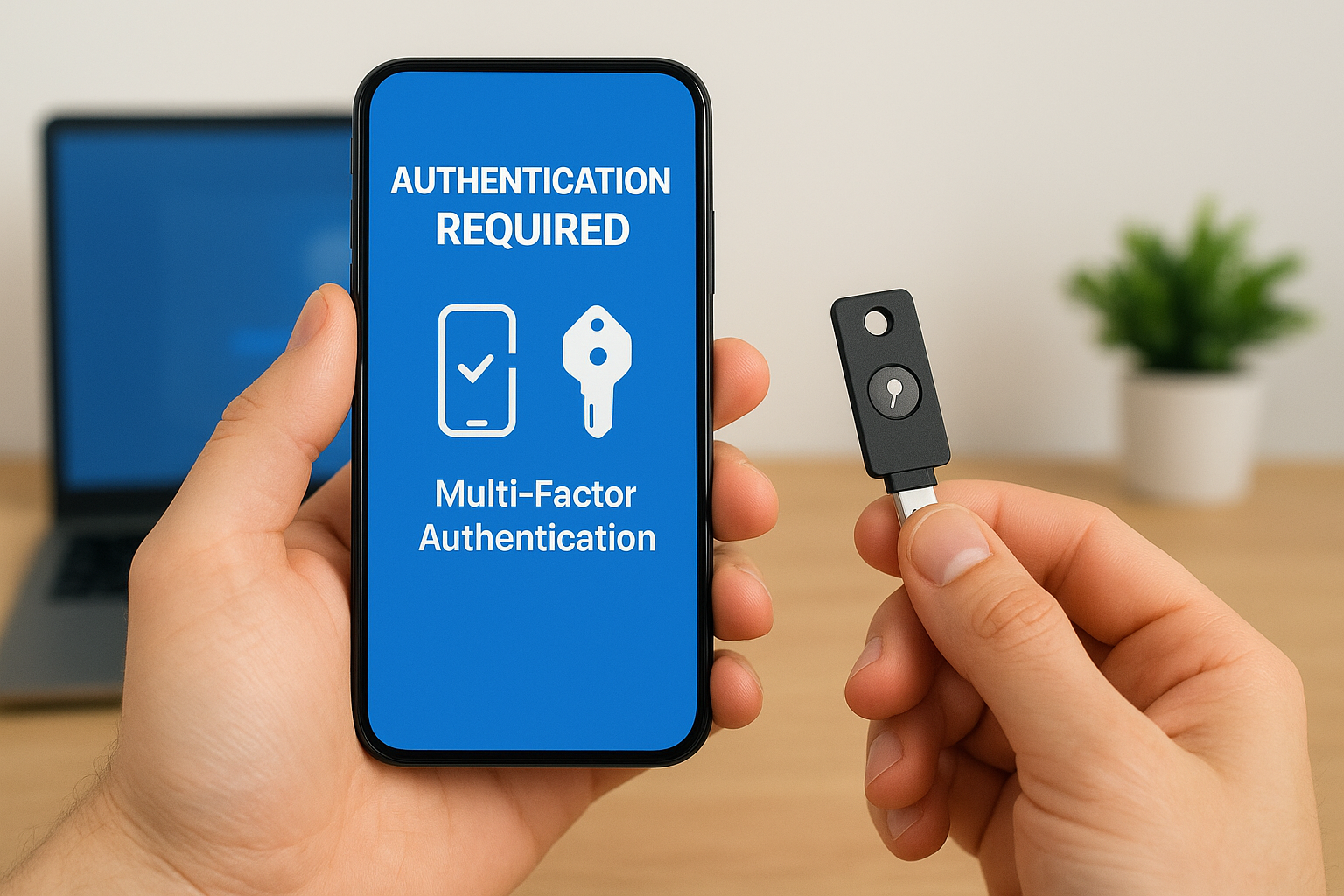
Multi-factor authentication (MFA) adds a critical security layer beyond passwords by requiring a second verification method. Your users authenticate through something they know (their password) combined with something they have (a mobile device or security key) or something they are (biometric data). This approach dramatically reduces unauthorized access because attackers need more than stolen credentials to breach your systems. Organizations that implement MFA alongside SSO see security incidents drop by more than 99 percent according to Microsoft’s research, making this combination the foundation of modern authentication security.
Monitor access patterns and audit logs
Your security team needs visibility into every authentication event across your SSO system. Set up real-time monitoring that flags unusual login patterns, such as access attempts from unexpected locations or during odd hours. Audit logs should capture every successful and failed authentication, privilege changes, and application access events. Regular review of these logs helps you detect compromised accounts quickly and understand how attackers might target your systems.
Understanding what is single sign on means recognizing that centralized authentication creates a single point you can monitor and protect more effectively than dozens of separate login systems.
Configure appropriate session timeouts
Session timeout policies balance security with user convenience by automatically ending inactive sessions. Your organization should define timeout durations based on application sensitivity and user roles. Critical systems like financial applications might require shorter timeouts, while less sensitive tools can maintain longer sessions. Implement absolute session limits that force re-authentication after a maximum period, regardless of activity.
Streamlining access with single sign-on
Single sign-on transforms how your organization handles authentication by eliminating password friction and creating seamless access across all your business applications. When you understand what is single sign on and implement it effectively, your team gains immediate productivity benefits through reduced login times, fewer support tickets, and enhanced security through centralized access control. Your employees spend less time managing credentials and more time focusing on work that drives business results.
Implementing SSO requires careful planning and the right technical approach, but the return on investment becomes clear within weeks of deployment. Your organization benefits from stronger security posture, lower IT costs, and happier users who access training platforms, customer tools, and internal systems without authentication barriers. Explore how Axis LMS integrates with leading SSO providers to create a unified learning experience for your organization.
