Your employees need to complete compliance training. But right now you probably track it across spreadsheets, deal with missed deadlines, and scramble when audit season arrives. Generic courses get ignored. Manual reminders get forgotten. And when someone asks for proof of training, you dig through files hoping the records are complete.
This guide walks you through seven concrete compliance training best practices you can implement with an LMS to fix those problems. You’ll learn how to automate tracking, segment training by role, design content that sticks, and build audit ready records. These strategies help you reduce admin work, improve completion rates, and create training programs that actually protect your organization.
1. Centralize compliance training in Axis LMS
A centralized learning management system eliminates the disconnected tools and manual processes that make compliance training feel impossible to manage. When you move training records, scheduling, and reporting into one platform, you gain real-time visibility into who needs training, who completed it, and who’s overdue. This consolidation gives you the control you need to stay audit ready without drowning in administrative work.

Clarify why a central LMS beats manual tracking
Spreadsheets and email reminders create data gaps that multiply your risk. You miss role changes, lose version histories, and waste hours compiling reports for audits. An LMS like Axis LMS tracks every training event automatically, timestamps completions, and maintains records you can export on demand. This shift from reactive scrambling to proactive management is what separates compliance training best practices from risky workarounds.
Set up core compliance workflows in Axis LMS
Start by defining mandatory training requirements for different employee groups and upload or build your courses using the drag and drop builder. Configure automatic enrollment so new hires receive required training from day one. Set expiration dates for certifications that need renewal and establish notification schedules that alert learners before deadlines pass.
Connect Axis LMS to HR and business systems
Axis LMS integrates with HR systems like ADP and BambooHR to sync employee data automatically. When someone changes roles or departments, the system updates their training assignments without manual intervention. You can also connect to your CRM or use SSO services like Okta to reduce login friction and keep user records accurate across all platforms.
Integrations eliminate duplicate data entry and ensure your training assignments stay current as your organization changes.
Use branding and UX to drive learner adoption
Customize the learner interface with your company colors, logo, and messaging to make the training feel like a natural extension of your workplace. A familiar, easy to navigate experience increases completion rates because employees spend less time figuring out how to access courses and more time learning.
2. Align training to laws and company policies
Your compliance training program must reflect actual legal requirements and your organization’s internal standards. Many companies make the mistake of creating generic training that doesn’t map to specific regulations or fails to account for company policies that go beyond minimum requirements. When training content stays disconnected from real obligations, you create gaps that auditors will find and risks you can’t defend.
Map regulations and standards to training topics
Start by identifying every regulation that applies to your industry and geography. List GDPR requirements for EU operations, HIPAA rules for healthcare data, SOC 2 controls for security, or OSHA standards for workplace safety. Then match each requirement to specific training modules so you can prove coverage when auditors ask. This mapping process ensures nothing falls through the cracks.
Translate policies into clear learner outcomes
Break down complex regulations into specific behaviors you expect from employees. Instead of saying "comply with data privacy laws," define outcomes like "identify personal data types" and "follow data retention schedules." Clear outcomes help learners understand what they need to do differently after training, not just what rules exist.
Anchor compliance in culture and leadership
Leadership must treat compliance as a business priority, not a checkbox. When executives discuss compliance in team meetings, reference policies in decision making, and visibly follow the same rules, employees understand the stakes. This cultural foundation makes training feel less like a burden and more like shared responsibility that protects everyone.
Strong compliance culture starts with leaders who demonstrate the behaviors they expect from their teams.
Keep content current as rules and risks change
Review training content on a set schedule to catch regulatory updates and emerging risks. When laws change or your company revises policies, update the affected modules immediately and reassign training to relevant employees. One of the most important compliance training best practices is maintaining accuracy, because outdated content creates liability instead of reducing it.
3. Build role based learning paths
Generic compliance training wastes time and reduces engagement because employees sit through content that doesn’t apply to their work. Role based learning paths fix this problem by delivering only the training each employee needs based on their function, location, and risk exposure. This targeted approach improves completion rates and helps you demonstrate to auditors that training matches actual job responsibilities.
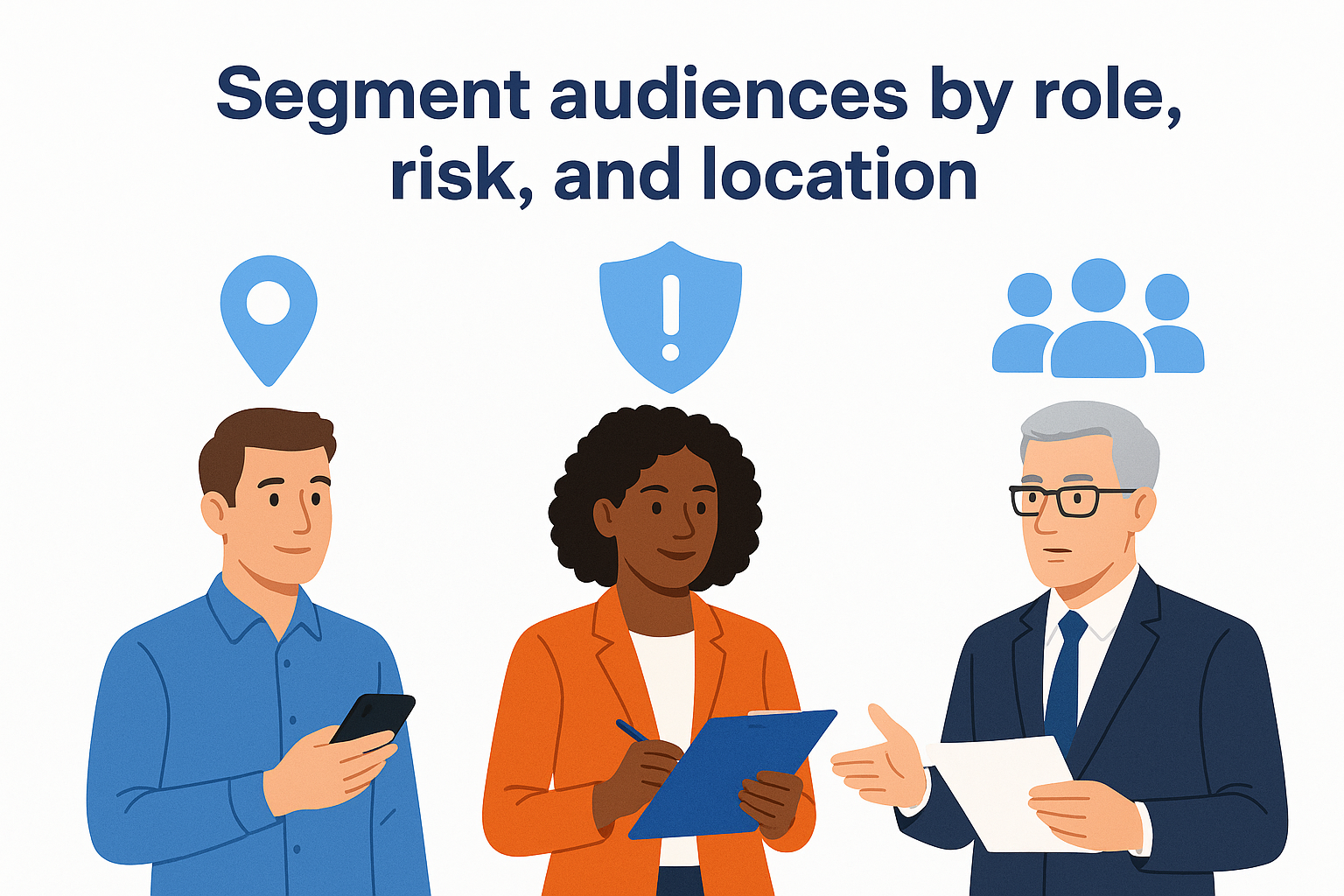
Segment audiences by role, risk, and location
Create distinct learner groups based on job function, seniority level, and geographic location. Finance teams need anti money laundering training that sales teams don’t. Employees in the EU require GDPR modules while US staff need CCPA content. Segment by the actual risks each group faces rather than forcing everyone through identical courses.
Design baseline and advanced learning paths
Build a foundational path that covers universal policies like code of conduct and data security basics. Then create specialized tracks for roles with elevated responsibilities or regulatory exposure. Managers receive training on handling complaints and oversight duties. System administrators get advanced cybersecurity modules that reflect their access privileges.
Link learning paths to specific risks and controls
Connect each learning path to the controls and policies it supports in your compliance framework. When you tie data handling training to SOC 2 requirements or safety modules to OSHA standards, you create clear audit trails that prove coverage. This mapping turns training into verifiable risk mitigation.
Linking training to controls transforms compliance training best practices from abstract rules into concrete protection.
Reduce noise with smart enrollment rules
Configure automatic enrollment logic in Axis LMS that assigns courses based on department, title, or location pulled from your HR system. Employees see only their required training instead of scrolling through irrelevant options. Smart rules eliminate manual assignment work and ensure new hires receive correct training from day one.
4. Automate recertification and tracking
Manual tracking of certifications and renewals creates compliance gaps that expose your organization to risk. You miss expiring certifications, overlook employees who change roles, and spend hours compiling reports when auditors arrive. Automation turns compliance tracking from a reactive scramble into a system that works continuously without manual oversight. When your LMS handles recertification schedules and notifications automatically, you catch problems before they become violations.
Define renewal cycles and compliance triggers
Set expiration dates for each certification based on regulatory requirements or company policy. Annual anti-bribery training expires after 365 days. Quarterly safety refreshers reset every 90 days. Configure your LMS to automatically reassign training when certifications approach their renewal threshold. Role changes should also trigger immediate training assignments so employees receive required courses before accessing new systems or responsibilities.
Automate reminders and escalation paths
Build notification sequences that alert learners 30, 14, and 7 days before certification expires. When deadlines pass without completion, escalate alerts to managers and compliance leads. Axis LMS can send automated reminders that reduce the manual follow up work that consumes your team’s time while improving completion rates across your organization.
Enforce access rules for overdue training
Configure your systems to restrict access to critical applications or data when required training lapses. Employees who miss cybersecurity recertification lose VPN access until they complete the module. This enforcement makes compliance training best practices enforceable rather than optional and protects your organization from known risks.
Access restrictions turn training requirements into business rules that protect your operations from preventable risks.
Maintain audit ready training records
Your LMS should log every training event with timestamps, version numbers, and completion data. Store records that show who completed what training, when they finished it, and which policy version applied at the time. Export filtered reports grouped by team, location, or regulation on demand so you respond to audit requests in minutes instead of days.
5. Design training that people remember
Compliance training fails when employees click through slides without absorbing the information. Memorable training changes behavior because learners connect abstract rules to their daily work and retain key concepts when they need them. You build this retention by using practical scenarios, breaking content into digestible pieces, adding engagement mechanics, and connecting compliance to what your organization values.
Use scenarios to connect rules to real work
Present real situations employees face and ask them to make decisions based on company policies. Show a customer service rep handling a data request and require them to identify the correct response under privacy regulations. Branch the scenario based on their choices and provide immediate feedback that explains why each option succeeds or fails. This active decision making creates stronger memory connections than passive reading.
Break content into short focused modules
Split comprehensive topics into five to ten minute modules that cover single concepts instead of hour long courses that overwhelm learners. A data protection program becomes separate units on classification, retention, breach response, and access controls. Short modules fit into busy schedules and allow employees to complete training between meetings or during natural breaks in their workday.
Apply simple gamification to boost engagement
Add progress indicators that show learners how much they’ve completed and badges that recognize milestone achievements. Display leaderboards for teams competing on completion speed or quiz scores. These mechanics increase motivation without adding complexity, and they make compliance training best practices feel less like obligations and more like achievable goals.

Simple game elements transform compliance training from a task employees avoid into an experience they want to complete.
Tie compliance messages to company values
Connect regulatory requirements to your organization’s mission and principles. Explain that data privacy training protects customer trust your company promises to uphold. Frame anti-harassment policies as extensions of respect and inclusion values already embedded in your culture. This alignment helps employees see compliance as protecting what matters rather than following arbitrary rules.
6. Deliver learning in the flow of work
Employees ignore training when it forces them to leave their daily workflows and navigate to separate platforms. Effective compliance training best practices recognize that learning happens best when it integrates into the tools and moments where work already occurs. This approach reduces friction, increases completion rates, and helps employees apply training immediately because they access it exactly when they need it.
Make training mobile friendly and accessible
Design courses that work on smartphones and tablets so employees can complete training during commutes, between shifts, or while traveling. Mobile responsive content adapts to smaller screens without losing functionality, and offline access lets field workers download modules and sync progress later when connectivity returns. This flexibility removes location barriers that prevent timely completion.
Surface just in time learning at key moments
Deliver short reminders or policy refreshers when employees perform high risk tasks. Trigger a three minute data classification module when someone uploads files to shared storage. Surface conflict of interest guidelines before employees submit expense reports. This timing connects training to actual decisions instead of abstract future scenarios.
Just in time learning transforms compliance from memorized rules into practical guidance employees use during real work moments.
Reduce friction with single sign on access
Configure SSO integration through services like Okta or Azure so employees access Axis LMS with their existing credentials. Eliminating separate logins removes a common completion barrier and ensures authentication stays consistent across your security infrastructure.
Embed training links in everyday tools
Place direct course links inside Microsoft Teams, Slack, or your intranet where employees already spend their time. When you release a new policy, post the acknowledgment module in relevant channels so completion requires one click instead of navigating through multiple systems.
7. Use data and feedback to improve
Your compliance program needs continuous refinement based on actual performance data and learner input. Without measurement, you can’t identify weak points in your training or prove that your program reduces risk. Analytics and feedback transform compliance training best practices from static requirements into systems that improve over time and respond to what your organization actually needs.
Track completion, scores, and behavior trends
Monitor completion rates across departments and track how long learners spend on each module. Review assessment scores to identify concepts employees struggle with and watch for patterns like rushed completions or repeated failures. Axis LMS dashboards surface this data in real time so you spot problems before they multiply across your organization.

Spot gaps by team, topic, and location
Filter your reports to reveal where training breaks down. One region might consistently underperform on cybersecurity assessments while another department shows high dropout rates on harassment prevention. These patterns tell you where to target support through coaching, content revision, or additional resources.
Review metrics with leaders on a set cadence
Schedule monthly or quarterly reviews with department heads and compliance officers to discuss completion trends, knowledge gaps, and upcoming certification deadlines. This regular cadence keeps compliance visible at the leadership level and ensures training stays aligned with business priorities.
Regular metric reviews with leadership transform compliance data into actionable decisions that protect your organization.
Collect learner feedback and act on it
Add brief surveys after training modules asking employees to rate content clarity and relevance. Review comments for recurring complaints about confusing examples or outdated scenarios. When feedback reveals problems, update the affected content and notify employees who completed the old version if changes are material.
Keep compliance on track
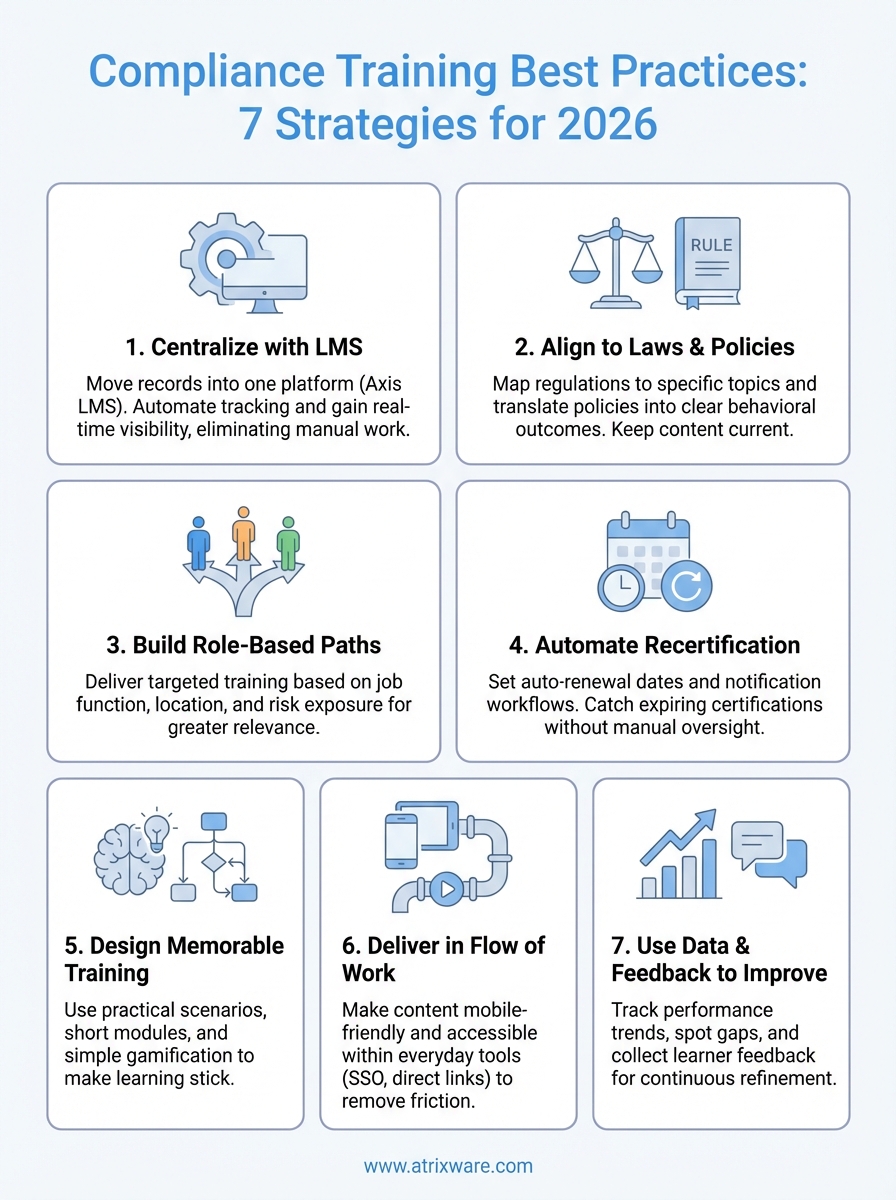
These seven compliance training best practices turn scattered processes into a coordinated system that protects your organization while cutting administrative burden. You centralize records in one platform, automate recertification workflows, segment training by actual job roles, and build content that employees retain when they need it most. When you implement these strategies in Axis LMS, you stop chasing down overdue certifications and start proving compliance readiness with complete audit records.
The difference between compliance programs that work and those that multiply risk comes down to infrastructure and consistent execution. Schedule an Axis LMS admin demo to see how automated workflows, role based enrollment rules, and real-time reporting dashboards eliminate manual tracking work while keeping your entire organization audit ready and compliant.
