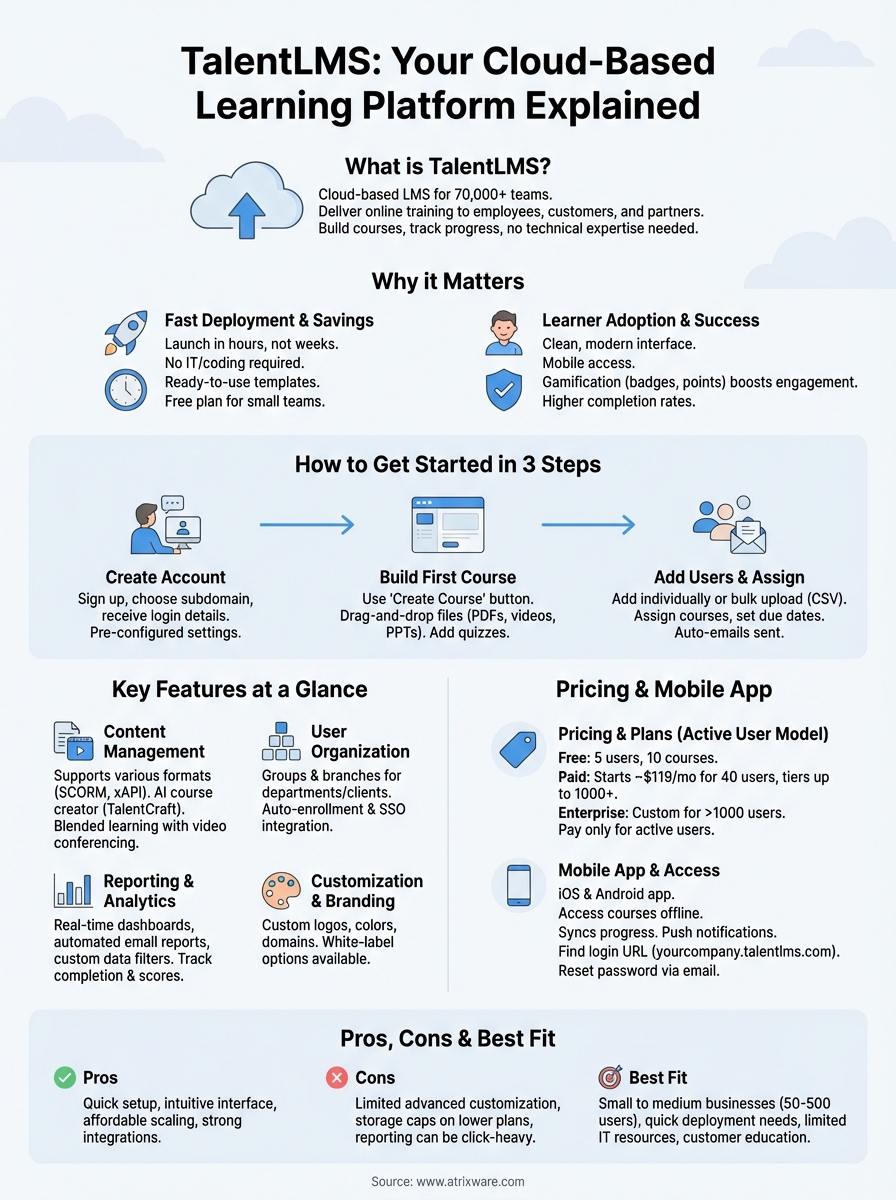
TalentLMS is a cloud-based learning management system that helps companies deliver online training to employees, customers, and partners. Over 70,000 teams use this platform to build courses, track progress, and manage learning programs without needing technical expertise. The platform emphasizes ease of use with a straightforward interface that gets teams up and running quickly.
This guide covers everything you need to know about TalentLMS. You’ll learn how to access your account and log in, what features the platform offers, how much it costs, and whether the mobile app fits your needs. We’ll also look at common login issues, weigh the pros and cons, and explore alternative LMS options. By the end, you’ll have a clear picture of whether TalentLMS matches your training requirements.
Why TalentLMS matters for online training
Your training program only works if people actually use it. TalentLMS removes the technical barriers that often slow down learning initiatives, letting you launch training programs in hours instead of weeks. The platform gives you immediate access to core features without requiring IT support, coding knowledge, or lengthy implementation projects. This speed matters when you need to onboard new hires quickly, roll out compliance training on tight deadlines, or respond to changing business needs.
Fast deployment saves time and resources
You can set up your TalentLMS account and create your first course in under an hour. The platform provides ready-to-use templates and intuitive course builders that let you upload existing materials like PDFs, videos, and presentations without converting file formats. Your team avoids the months-long implementation cycles that traditional enterprise systems demand. Small businesses benefit from starting on the free plan, while larger organizations can scale up as their training needs grow. This flexibility means you pay only for what you use instead of committing to expensive multi-year contracts before seeing results.
The ability to launch training quickly without technical dependencies gives organizations a competitive advantage in developing their workforce.
Learner adoption drives training success
Training content means nothing if employees ignore it. TalentLMS focuses on a clean, modern interface that learners navigate easily on their first login. The mobile app extends access beyond desktop computers, letting your team complete courses during commutes, travel, or downtime. Gamification features like badges, points, and leaderboards increase engagement without requiring you to build complex reward systems. Your learners progress through courses at their own pace, and you track completion rates through straightforward dashboards. Companies report higher completion rates with TalentLMS compared to their previous systems because the platform removes friction from the learning experience. When your team actually uses the training you create, you see measurable improvements in performance, compliance, and skill development.
How to get started with TalentLMS
Getting your TalentLMS account operational takes minimal effort. You complete the initial setup process in three main steps: creating your account, building your first course, and adding users. The platform walks you through each stage with clear prompts and helpful tooltips that eliminate guesswork. Unlike complex enterprise systems that require consultants and lengthy training, you handle the entire setup yourself without technical assistance.
Creating your account
You begin by visiting the TalentLMS website and clicking the free trial or sign-up button. The registration form asks for basic information like your name, email address, and company details. Choose a subdomain name carefully because this becomes your account’s web address (yourcompany.talentlms.com). You can change most settings later, but the subdomain selection affects your branding and how learners access your portal.
After submitting the form, you receive an email confirmation with your login credentials. The system creates your administrator account automatically and directs you to the main dashboard. Your account comes pre-configured with default settings that work for most organizations, though you can customize everything from color schemes to email notifications. The initial dashboard displays a quick-start wizard that guides you through essential configuration steps, but you can skip this and explore the platform independently if you prefer hands-on learning.
Building your first course
Your dashboard provides a "Create Course" button that opens the course builder interface. You name your course, add a description, and select a category to organize your content library. The course editor offers multiple unit types including presentations, videos, documents, tests, and SCORM packages. You simply drag and drop files from your computer or paste video links from platforms like YouTube and Vimeo.
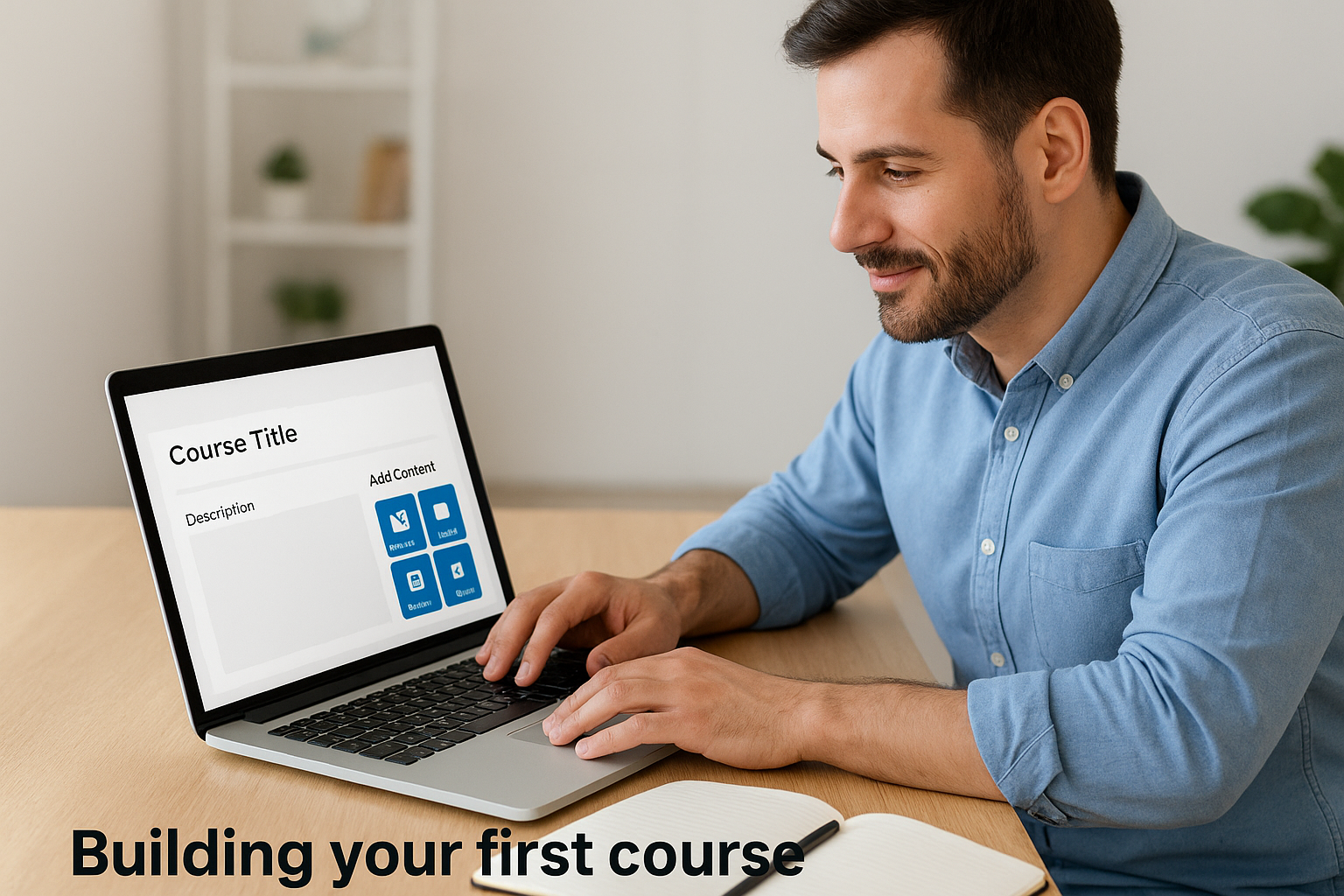
Each course unit requires a title and the actual content you want learners to study. You upload existing training materials without converting formats or creating special files. TalentLMS accepts PDFs, PowerPoint presentations, Word documents, images, and most video formats directly. Tests and quizzes use a built-in question editor where you write questions, define correct answers, and set passing scores. The platform saves your progress automatically as you work, so you never lose content due to connection issues or browser problems.
Creating your first course typically takes 15 to 30 minutes depending on how much content you already have prepared.
Inviting users and assigning training
The "Users" section lets you add learners individually or upload multiple users via spreadsheet. Individual additions require only an email address, though you can include names, departments, and custom fields for better organization. Bulk uploads accept CSV files with columns for each user attribute, saving significant time when onboarding large teams.
Once you add users, you assign them to courses through the enrollment menu. You select a course, choose which users or groups need that training, and set optional due dates or prerequisites. The system sends automatic email notifications to learners with login instructions and course links. Users receive credentials and can access their training immediately. You track progress through real-time dashboards that show completion rates, test scores, and time spent on each course. This visibility helps you identify learners who need additional support and measure overall training effectiveness.
TalentLMS key features at a glance
TalentLMS provides a complete toolkit for creating, delivering, and managing online training programs. The platform bundles essential learning management capabilities into an interface that requires no specialized technical knowledge. Every feature works together to reduce administrative overhead while giving you detailed control over how learners experience your content. You access everything from a central dashboard that displays your courses, users, and training metrics in one place.
Course creation and content management
You build courses using a flexible content editor that accepts multiple file types and formats. The system supports PowerPoint presentations, PDFs, videos, SCORM packages, and xAPI content without requiring conversions or special formatting. TalentLMS includes a built-in video conferencing integration that connects with Zoom, Microsoft Teams, and other major platforms for live training sessions. Your courses can combine self-paced materials with scheduled virtual classes, creating blended learning experiences that match different teaching styles.
The platform offers TalentCraft, an AI-powered course creation tool that generates entire courses from simple prompts. You describe your training topic, and the system produces structured content with sections, lessons, and assessments. Gamification elements like badges, points, and leaderboards integrate directly into your courses without requiring separate plugins or add-ons. Tests and quizzes support multiple question types including multiple choice, true/false, fill-in-the-blank, and essay questions that you grade manually or automatically.
User management and organization
Your system organizes learners through groups, branches, and custom user types that reflect your company structure. Groups let you assign training to entire departments or teams simultaneously, while branches create separate training portals for different business units or client organizations. Each branch maintains its own branding, courses, and user base while you manage everything from a single administrator account.
The branch feature proves particularly valuable for companies that train multiple distinct audiences like employees, customers, and channel partners.
User enrollment happens manually, automatically, or through self-registration depending on your security requirements. Automated rules assign courses based on user attributes like department, location, or hire date. The platform integrates with major HR systems including BambooHR, ADP, and various HRIS platforms to synchronize user data automatically. You also connect TalentLMS to single sign-on providers like Okta, OneLogin, and Azure Active Directory for streamlined access management.
Reporting and analytics capabilities
Built-in reports track completion rates, test scores, time spent learning, and certification status across your entire organization. The dashboard displays real-time progress indicators that show which courses need attention and which learners fall behind schedule. You schedule automated reports to deliver via email on daily, weekly, or monthly intervals without logging into the system.
Custom reports let you filter data by user groups, date ranges, course categories, and specific learning outcomes. The system exports report data to CSV, Excel, and PDF formats for deeper analysis or presentation to stakeholders. Training matrix views display each learner’s status across multiple required courses, making compliance tracking straightforward for regulated industries. You identify knowledge gaps and measure training effectiveness through assessment scores and completion trends over time.
Customization and branding options
TalentLMS allows you to customize colors, logos, and domain names to match your company’s visual identity. You upload your logo, select brand colors, and configure the login page appearance without touching code. Custom domains replace the default talentlms.com address with your own domain name for a professional appearance.
The platform provides customizable email templates for all system notifications including welcome messages, course assignments, and certificate delivery. You edit email content, adjust timing, and control which notifications users receive. White-label options remove TalentLMS branding from the learner interface, mobile apps, and certificates for a fully branded training experience.
TalentLMS pricing and plans explained
TalentLMS uses a tiered pricing model based on active users rather than charging for every registered account. Active users are learners who log in during a given month, which means you only pay for people actually using the system. This structure benefits organizations with seasonal training needs or fluctuating user bases. The platform offers transparent pricing on its website with no hidden fees for core features, though you pay extra for certain add-ons like removing TalentLMS branding or accessing premium support channels.
Free plan limitations and benefits
The free tier supports up to five users and ten courses permanently without requiring credit card information. You access all major features including course creation, reporting, gamification, and basic integrations. The free plan serves as a full-featured testing environment where you evaluate whether TalentLMS meets your needs before committing to paid subscriptions. Your organization can run small-scale training programs indefinitely on this tier, making it practical for very small teams or proof-of-concept projects.
However, the free plan restricts some branding customizations and limits certain advanced features like custom domains, priority support, and white-label mobile apps. You see TalentLMS branding in the learner interface and email notifications. The five-user cap becomes restrictive quickly as your training program grows, forcing an upgrade when you add your sixth active learner regardless of your total course library size.
Paid tier comparison
Paid plans start at approximately $119 monthly for up to 40 active users, with pricing increasing at set thresholds of 100, 200, 500, and 1,000 active users. Each tier unlocks additional features like advanced automation, custom reporting, and enhanced security options. Monthly subscriptions cost more than annual commitments, which offer savings of roughly 20 percent when you prepay for the full year.

Organizations with stable training needs save significantly by choosing annual billing over month-to-month plans.
The Plus plan adds features like custom domain mapping and API access, while the Premium tier includes priority support, advanced automation rules, and white-label options. Higher tiers also increase file storage limits and remove certain feature restrictions present in lower plans. You can review exact pricing on the TalentLMS website since rates adjust periodically and may vary by region or promotional offers.
Enterprise and custom pricing
Organizations exceeding 1,000 active users contact TalentLMS sales teams for custom enterprise quotes. These arrangements often include volume discounts, dedicated account management, and tailored implementation support. Enterprise customers negotiate specific terms around data storage, security certifications, uptime guarantees, and integration requirements that standard plans don’t address.
Custom pricing also applies when you need specialized features like advanced single sign-on configurations, custom development work, or dedicated hosting environments. The sales team works with you to understand your unique requirements and structure a solution that fits your budget and technical specifications. Most enterprise agreements include professional services like migration assistance, administrator training, and ongoing strategic consulting that help maximize your investment in the platform.
Using the TalentLMS mobile app
Mobile learning extends your training program beyond desktop computers and office hours. The TalentLMS mobile app works on both iOS and Android devices, letting learners access courses from smartphones and tablets wherever they work. Your team downloads the app from the Apple App Store or Google Play Store without paying additional fees beyond your existing subscription. The mobile experience mirrors the desktop interface while optimizing navigation and content display for smaller screens.
Available features on mobile
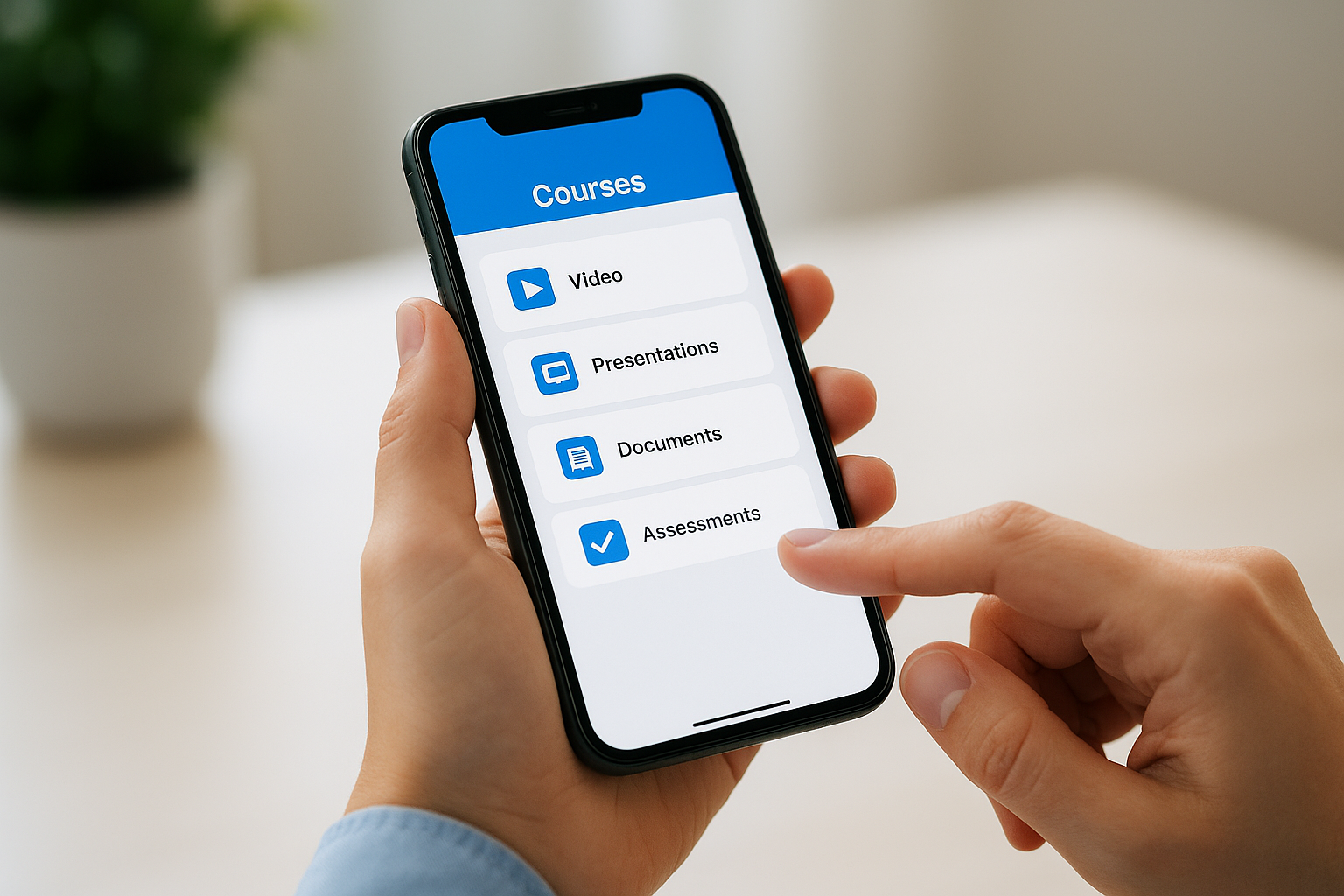
You access your complete course library through the mobile app, including videos, presentations, documents, and assessments. Learners view their assigned courses, track progress, and complete training modules using touch-friendly controls designed for mobile interaction. The app supports offline learning by downloading course materials when connected to WiFi, allowing users to study during flights, commutes, or in areas with limited internet connectivity.
Offline access eliminates connectivity barriers that often prevent field workers and traveling employees from completing required training.
Progress syncs automatically when devices reconnect to the internet, ensuring your reporting dashboards reflect the most current completion data. Learners receive push notifications about new course assignments, upcoming deadlines, and achievement milestones directly on their mobile devices. Gamification features like badges and leaderboards display properly on mobile screens, maintaining engagement across all devices your team uses.
Downloading and accessing the app
Your learners search for "TalentLMS" in their device’s app store and install the application without special configuration or IT support. The app prompts users to enter their account subdomain (yourcompany.talentlms.com) and login credentials that match their web-based access information. Organizations using single sign-on can authenticate through their existing SSO provider directly from the mobile app.
White-label mobile apps require Premium plan subscriptions and display your company branding instead of TalentLMS logos throughout the interface. Standard mobile apps show TalentLMS branding regardless of your subscription tier, though the core functionality remains identical across all branding options. You configure mobile-specific settings like offline download limits and notification preferences through the main administrator dashboard rather than within the app itself.
Common questions about TalentLMS login and access
Login issues cause frustration and prevent learners from completing required training. Most access problems stem from simple configuration errors or forgotten credentials rather than technical platform failures. You can resolve the majority of login difficulties by understanding how TalentLMS authentication works and where to find the correct access information. Each organization uses a unique subdomain that forms part of the login URL, and entering the wrong address represents the most common access barrier new users face.
Finding your correct login URL
Your TalentLMS login address follows the format yourcompany.talentlms.com where "yourcompany" matches your chosen subdomain. You cannot log in through the main TalentLMS marketing website because each account operates independently on its own subdomain. Check the welcome email you received when your administrator added you to the system, as this message contains your specific login link. Organizations using custom domains may have completely different URLs that match their company website rather than including "talentlms.com" in the address.
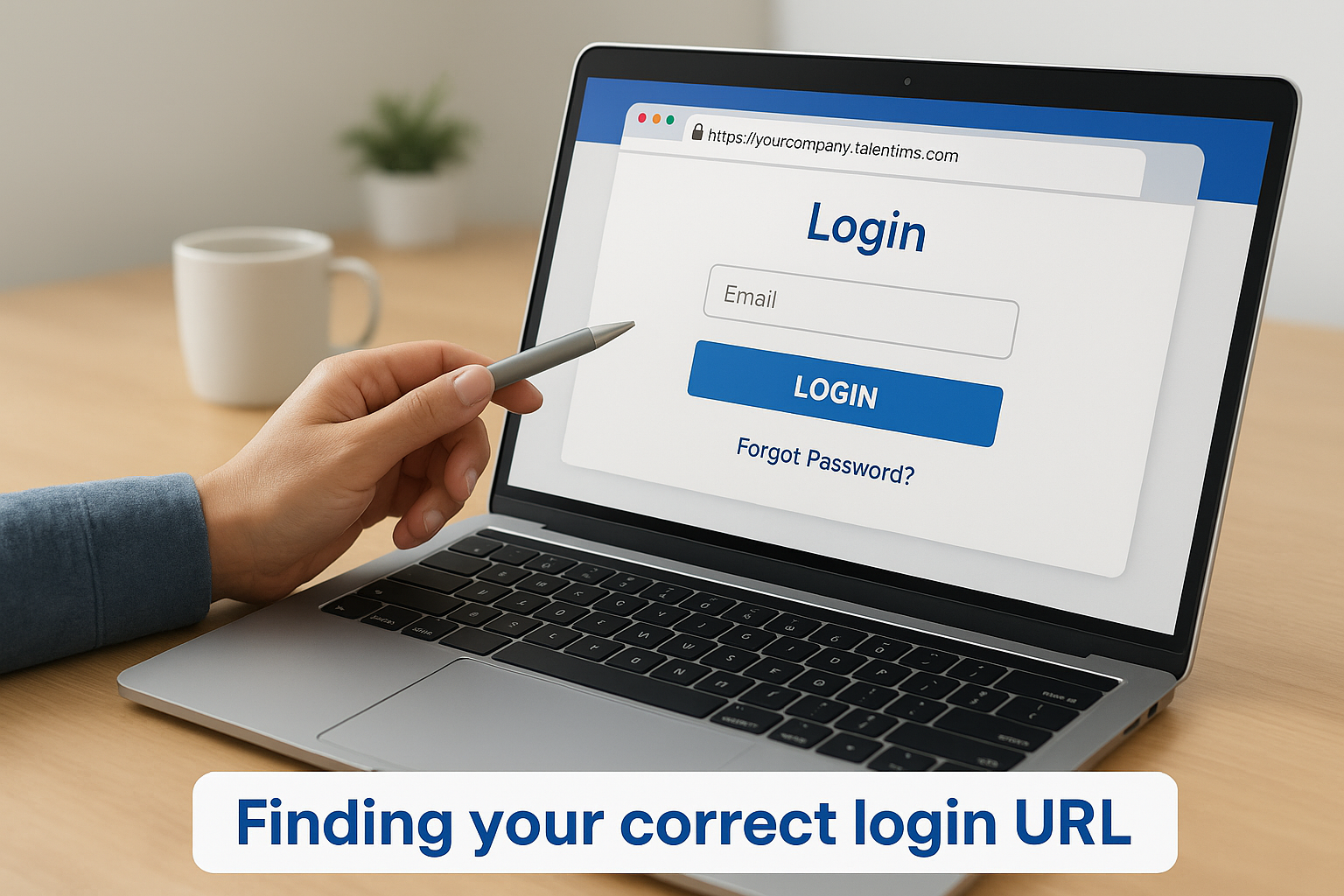
Bookmarking your organization’s exact login URL prevents repeated access errors caused by using incorrect web addresses.
Resetting forgotten passwords
You recover lost passwords by clicking the "Forgot Password" link on your login page and entering the email address associated with your account. The system sends a password reset message to your registered email within minutes, though you should check spam folders if the email doesn’t appear promptly. Your reset link expires after a set time period for security purposes, requiring you to request a new link if you delay completing the process. Administrators can also manually reset user passwords through the system dashboard if learners encounter persistent email delivery problems.
Resolving single sign-on issues
Organizations using SSO authentication connect TalentLMS to identity providers like Okta, Azure Active Directory, or Google Workspace. You access the platform through your company’s standard login portal rather than entering credentials directly on the TalentLMS page. SSO configuration errors prevent successful authentication even when your username and password are correct for other company systems. Contact your IT department or system administrator when SSO fails because they control the connection between your identity provider and the learning platform. Standard username-password login typically remains disabled once SSO activates, making administrator assistance necessary for access recovery.
TalentLMS pros cons and best fit
Every learning platform excels in certain areas while falling short in others. Understanding where TalentLMS performs well and where it struggles helps you make an informed decision about whether this platform matches your training requirements. Your organization’s size, technical expertise, budget constraints, and specific learning objectives determine whether the platform’s strengths outweigh its limitations for your particular situation.
Advantages that stand out
TalentLMS delivers exceptional value through its straightforward setup process and intuitive interface that non-technical users operate confidently. You launch training programs within hours rather than weeks because the platform eliminates complex configuration requirements that plague enterprise systems. The pricing structure scales affordably from free accounts to enterprise deployments, giving you flexibility as your training needs expand. Your learners engage more readily with the modern interface and mobile app that function smoothly across devices.
The combination of ease of use and comprehensive features makes TalentLMS particularly effective for organizations launching their first formal learning program.
Integration capabilities connect your existing business systems through native connectors and API access without requiring custom development work. Your team automates user provisioning, enrollment workflows, and reporting through these connections. The gamification features and reporting dashboards provide immediate visibility into training effectiveness without exporting data to external analytics tools.
Limitations to consider
Advanced customization options remain limited compared to enterprise platforms that offer greater control over the user experience and workflow automation. You encounter restrictions when attempting complex branching scenarios or highly specialized reporting requirements. Organizations with sophisticated compliance tracking needs may find the native audit trail capabilities less comprehensive than dedicated compliance management systems provide.
The platform struggles with very large file uploads and limits the total storage space available in lower-priced plans. Your content library management becomes challenging when you host extensive video libraries or maintain thousands of course variations. Some users report that the reporting interface requires multiple clicks to access specific data points, making routine administrative tasks more time-consuming than necessary.
Organizations that benefit most
Small to medium-sized businesses gain the most from TalentLMS because the platform balances functionality with affordability at scales between 50 and 500 active users. Companies launching customer education programs or channel partner training benefit from the branch system that creates separate learning portals under a single administrative account. Your organization finds strong fit when you need to deploy training quickly, lack dedicated IT resources for learning technology, and prioritize learner experience over complex administrative workflows. Businesses selling online courses appreciate the built-in e-commerce features that handle transactions without third-party shopping cart integrations.
Alternatives to TalentLMS to consider
No single learning platform fits every organization perfectly. You might find that TalentLMS lacks specific features your company requires, exceeds your budget constraints, or simply doesn’t align with your training philosophy. Evaluating alternative solutions helps you understand the broader LMS landscape and ensures you select the platform that truly matches your needs. Several platforms compete directly with talentlms while offering different strengths in pricing, features, or target audiences that may better serve your particular situation.
Enterprise-focused platforms
Large organizations with complex training requirements often need more sophisticated features than TalentLMS provides in its standard offerings. Platforms like Cornerstone OnDemand and SAP SuccessFactors deliver comprehensive talent management suites that integrate learning with performance management, succession planning, and workforce analytics. These enterprise systems handle tens of thousands of users across global operations with advanced compliance tracking and detailed audit trails. Your organization pays significantly more for these capabilities, and implementation typically requires months of professional services and dedicated IT resources. Consider enterprise platforms when you manage training for over 5,000 employees, operate in highly regulated industries requiring extensive documentation, or need deep integration with existing HR technology stacks.
Enterprise platforms excel at scale and complexity but demand substantially greater investment in time, money, and technical expertise.
Budget-friendly options
Cost-conscious organizations find value in platforms that prioritize affordability over advanced features. Google Classroom provides basic course delivery and assignment tracking completely free for educational institutions and nonprofit organizations. Moodle offers open-source flexibility with no licensing fees, though you pay for hosting, customization, and ongoing maintenance through technical staff or consultants. These budget options reduce direct software costs while requiring greater internal resources for setup and administration. Your team benefits from these alternatives when you need simple course delivery, possess technical expertise to manage self-hosted systems, or operate within strict budget limitations that prevent commercial LMS subscriptions.
Specialized training systems
Certain industries and use cases demand purpose-built platforms designed for specific training scenarios. Docebo focuses heavily on artificial intelligence-driven learning recommendations and social learning features that encourage peer-to-peer knowledge sharing. Absorb LMS emphasizes customer education and revenue-generating training programs with sophisticated e-commerce capabilities. Industry-specific platforms offer pre-built compliance libraries and workflows tailored to healthcare, manufacturing, financial services, or other regulated sectors. You gain immediate value from these specialized systems when your training needs align closely with their core strengths, though you sacrifice the broader flexibility that general-purpose platforms provide.
Final thoughts
TalentLMS delivers a straightforward learning platform that removes technical barriers from online training. You gain access to essential features like course creation, mobile learning, and progress tracking without navigating complex enterprise software. The pricing structure scales affordably from free accounts to large deployments, making it accessible for organizations at different growth stages. Your team benefits most from this platform when you need quick deployment, lack dedicated IT resources, and prioritize ease of use over advanced customization.
Choosing the right learning management system requires understanding your specific training needs and organizational readiness. Before committing to TalentLMS or any alternative platform, you should evaluate where you stand in the selection process. Take our LMS readiness quiz to identify your current stage and receive personalized guidance on next steps. This assessment helps you clarify requirements, understand potential challenges, and make confident decisions about your learning technology investment.
